Case study · AI assistant
Potentially
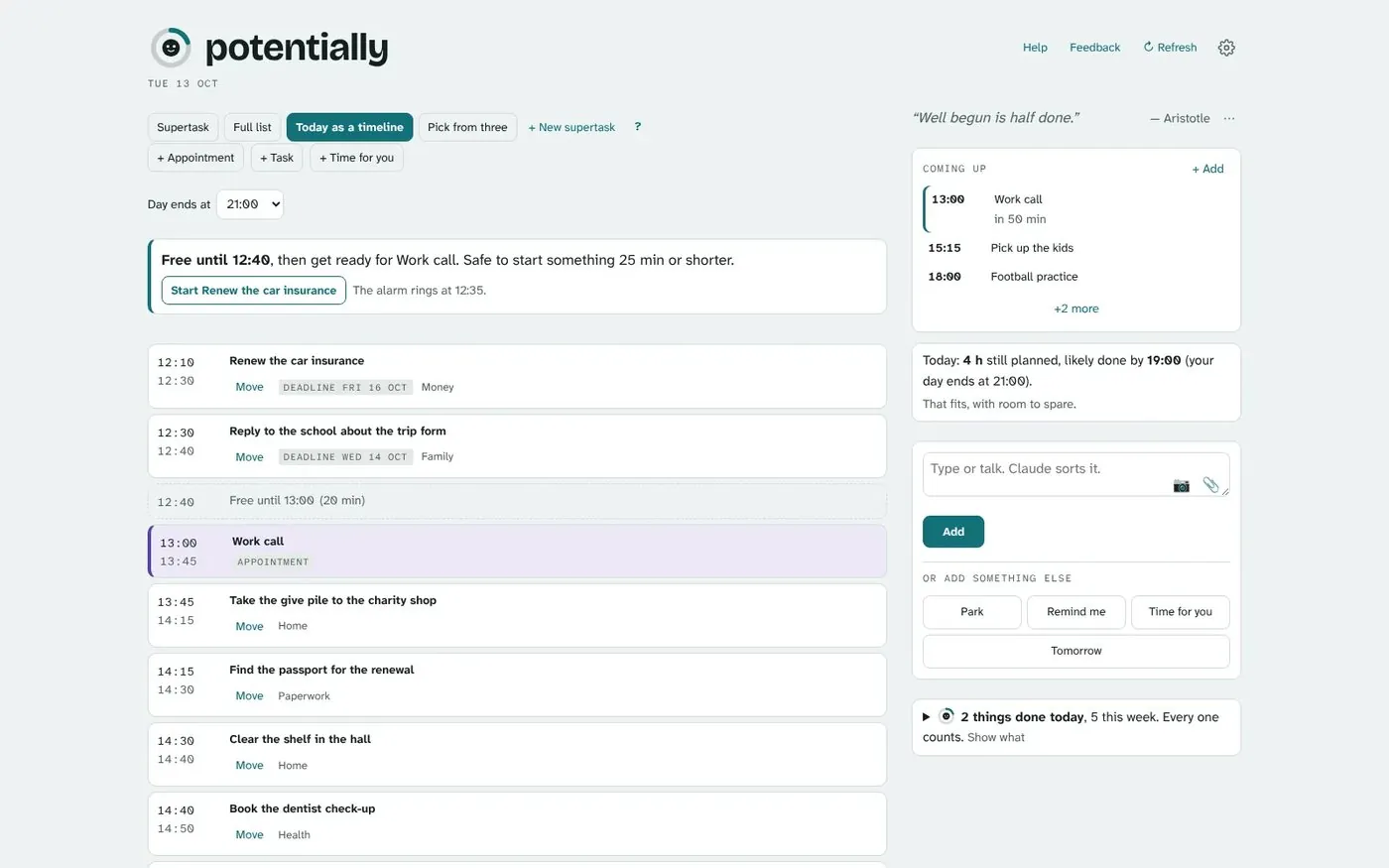
A calm task page for days when starting is the hard part. It shows only as much of the list as today can hold, shrinks each task to one small first move, and lets Claude do the parts it can.
- For
- People whose attention and energy change from day to day, including people with ADHD
- Status
- Free concept test, by invitation
- Languages
- English or Spanish
- Where
- potentially.es
The problems it solves
-
Say it once, and Claude sorts it
Type or dictate tasks, appointments and worries in one go, however they come out. Claude splits them up and puts each in the right place, with dates where you gave them.
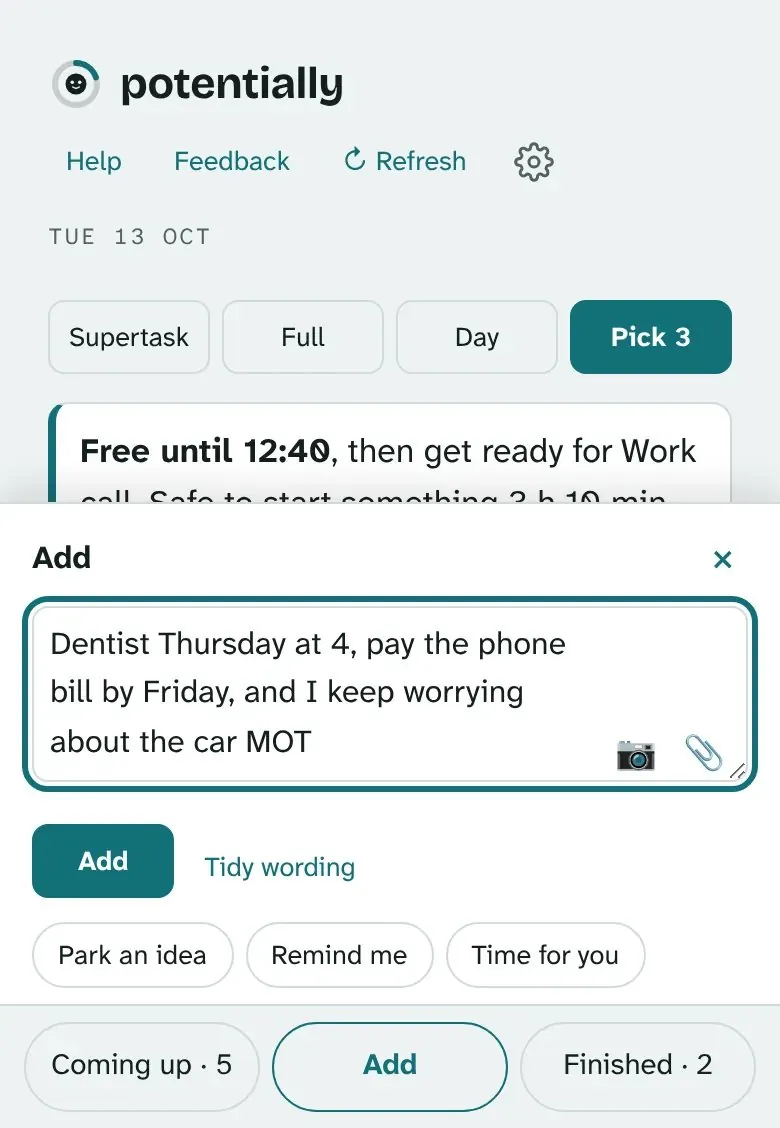
“Dentist Thursday at 4, pay the phone bill by Friday, and I keep worrying about the car MOT”: three different things, in one sentence. -
Too much on screen
A long list makes it hard to pick anything, so the page shows less. Four views, chosen by how today feels: three tasks to pick from, today as a timeline around fixed appointments, one bigger goal, or the full list. From the day’s appointments it works out when to get ready and leave, and gives a nudge first.
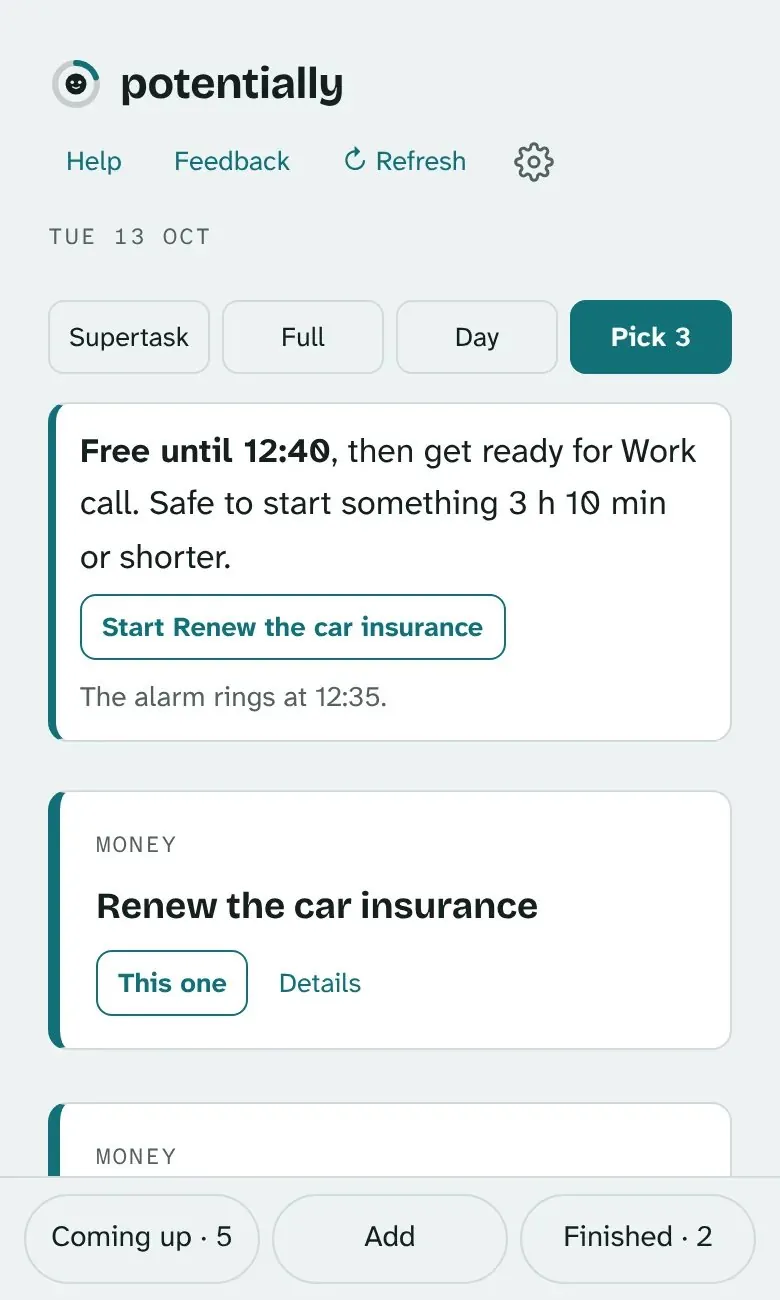
Pick from three: how much free time there is before the next appointment, and only a few tasks. 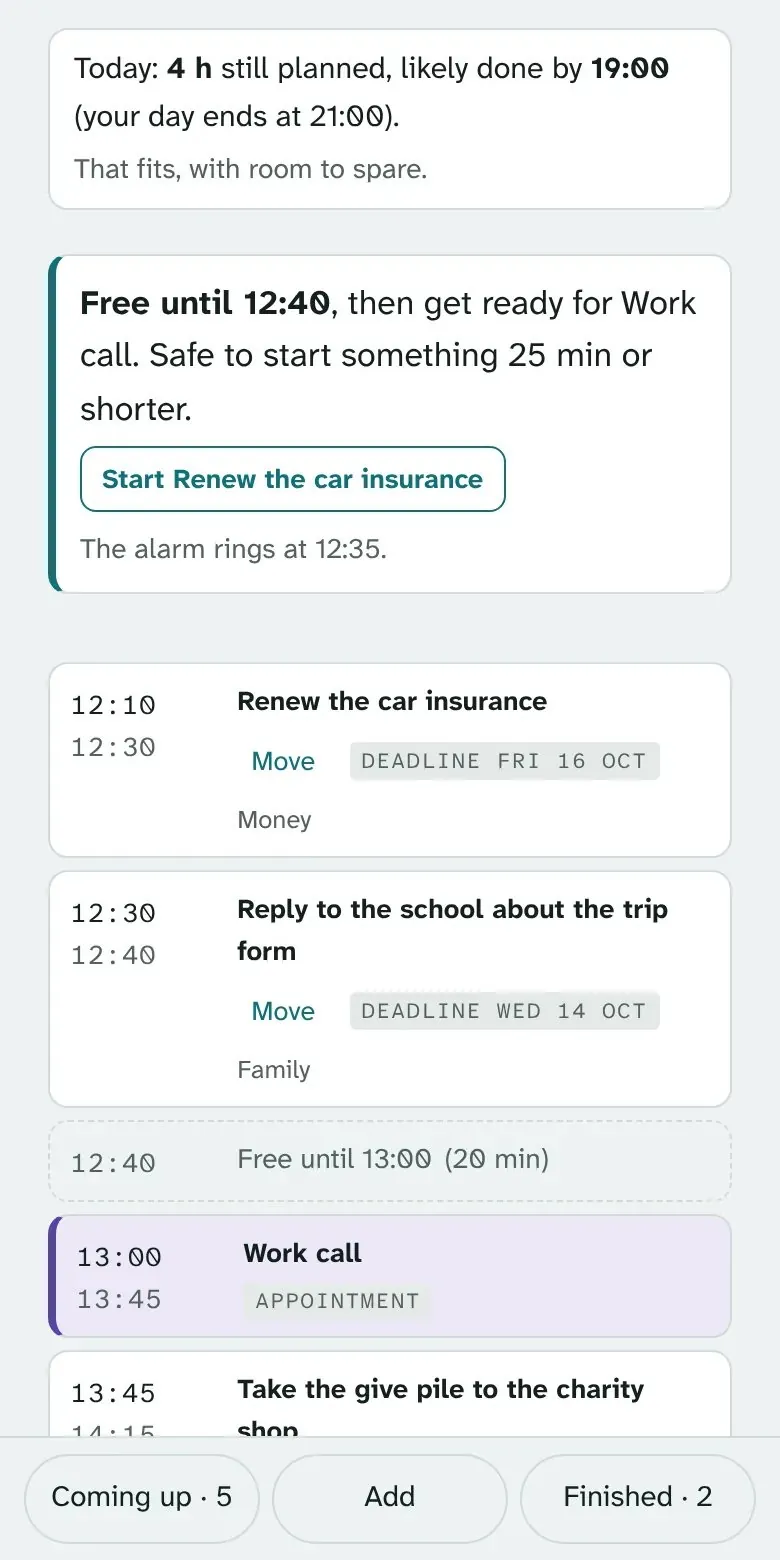
Today as a timeline: it says whether the day fits and when it will likely be done. -
Getting started
“Just start” asks Claude for one tiny first move, and a focus timer hides everything else for 15 minutes or more. Anything that pops up mid-task can be parked in a line, so it isn’t lost.
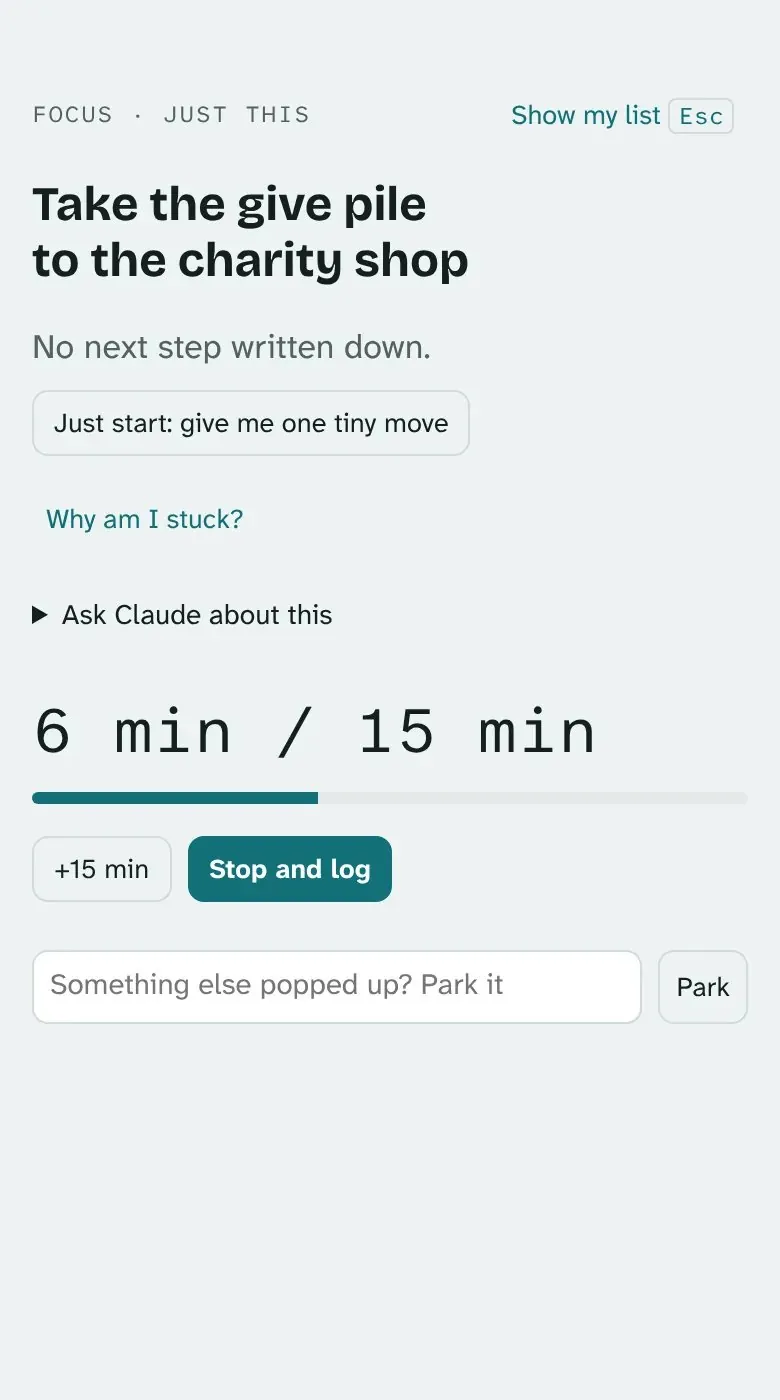
Focus: one task, the timer, and the button that asks for a first move. 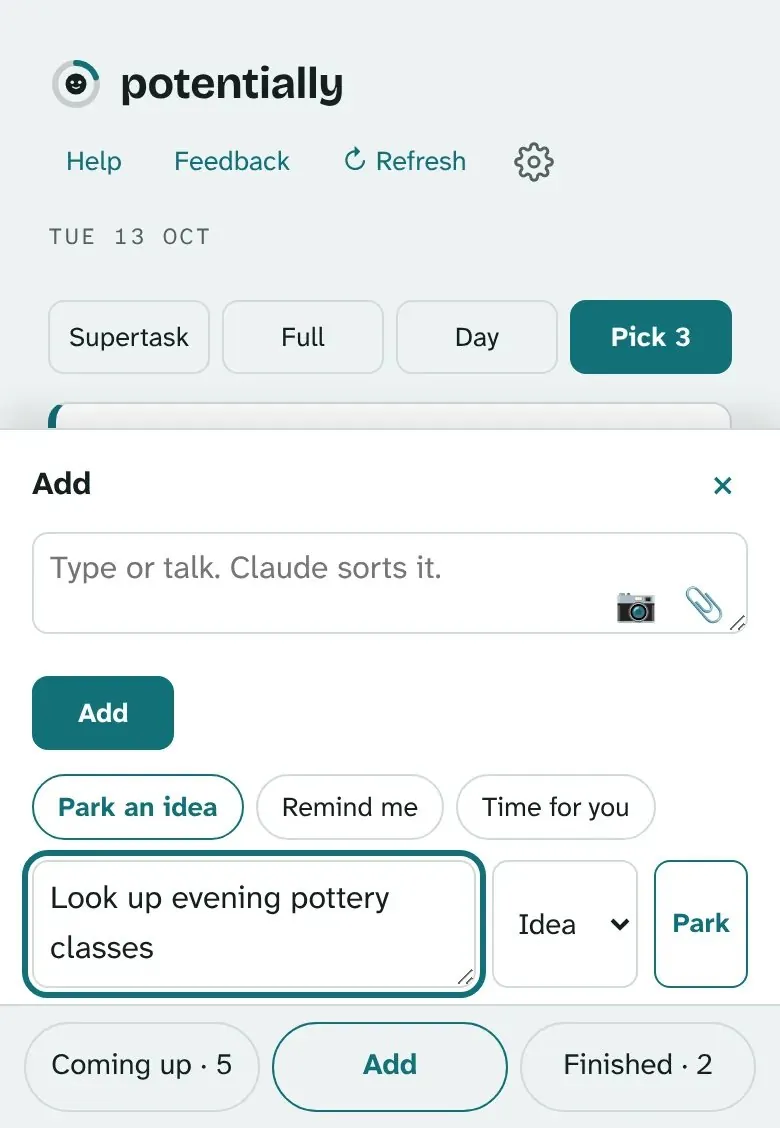
Parking an idea without leaving what you’re doing. -
Energy that changes day to day
A two-tap morning check-in on sleep and energy picks a lighter or fuller view for the day. There are no streaks to break and no points.
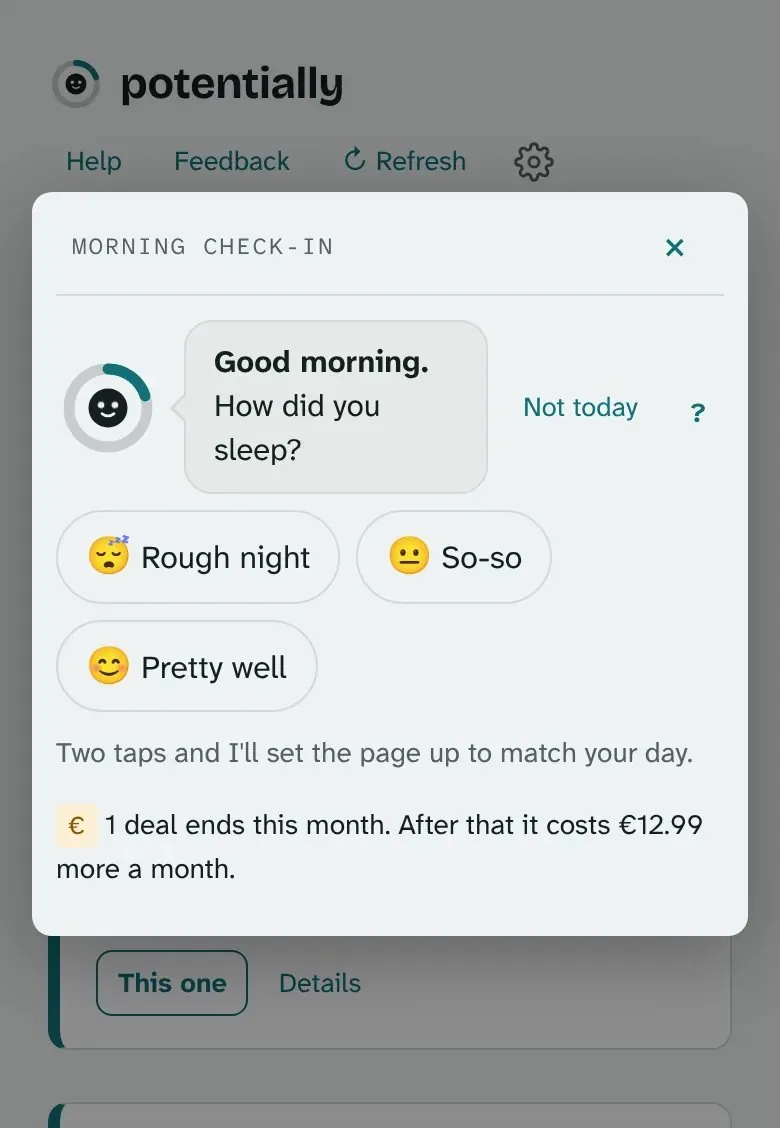
The morning check-in, with a note about a deal that ends today. -
Bills, renewals and free trials that cost money if missed
Type “free for 30 days, then 12.99” and a keep-or-cancel task appears five days before the price goes up. The Money list fills itself from money tasks and a screenshot of subscriptions, with no bank connection; Claude reads the screenshot and it’s then discarded.
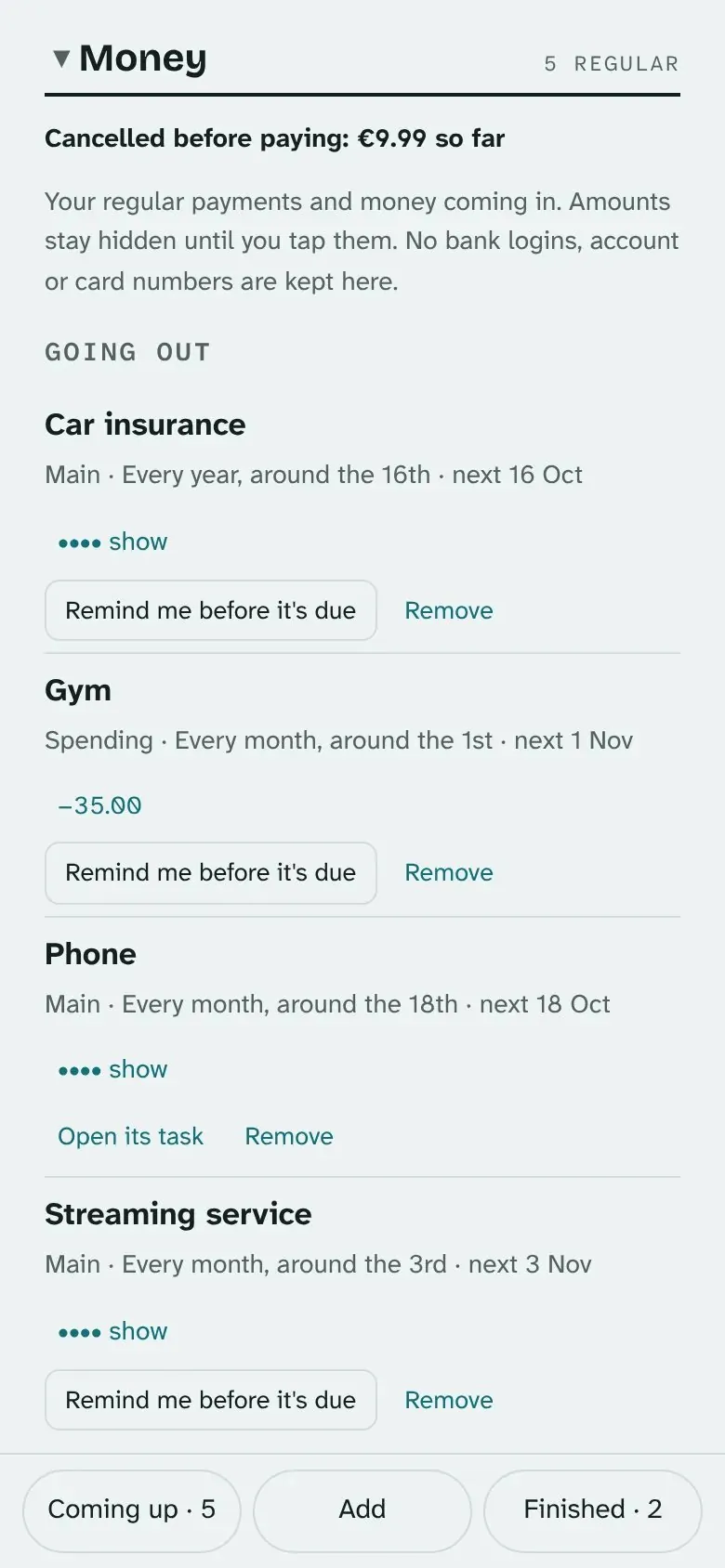
The Money list: regular payments, with amounts hidden until you tap them, and what was saved by cancelling in time. -
Bigger goals, shared with Claude
A supertask breaks a goal into steps, each marked as yours or Claude’s, and shows only the next one to do.
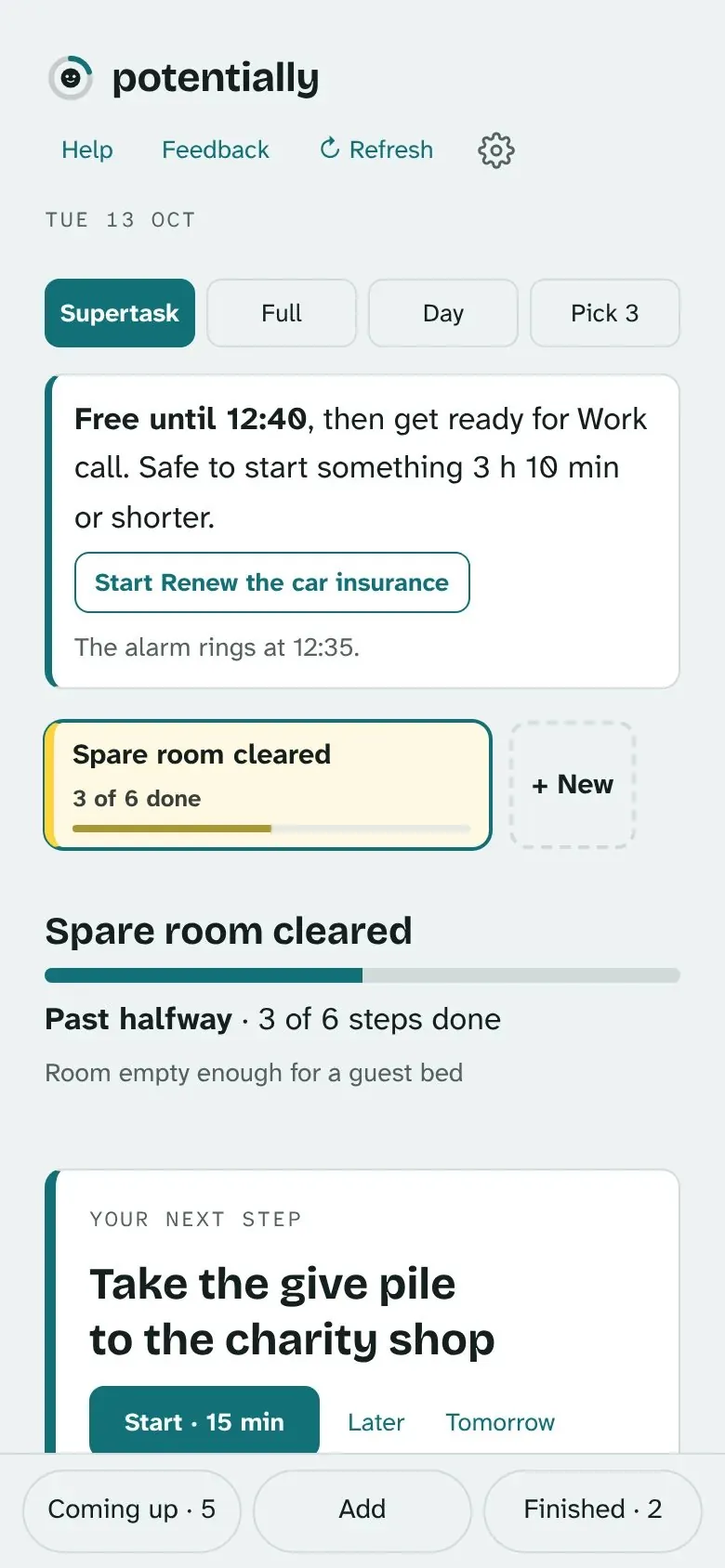
A supertask past halfway: three of six steps done and only the next one in view. 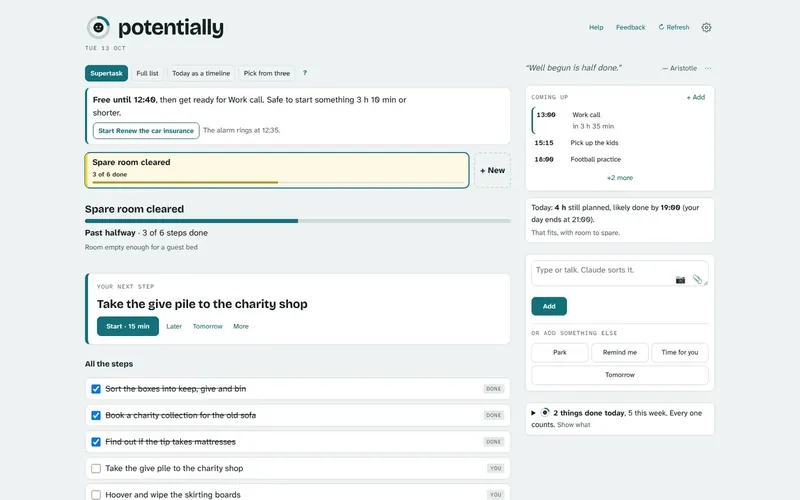
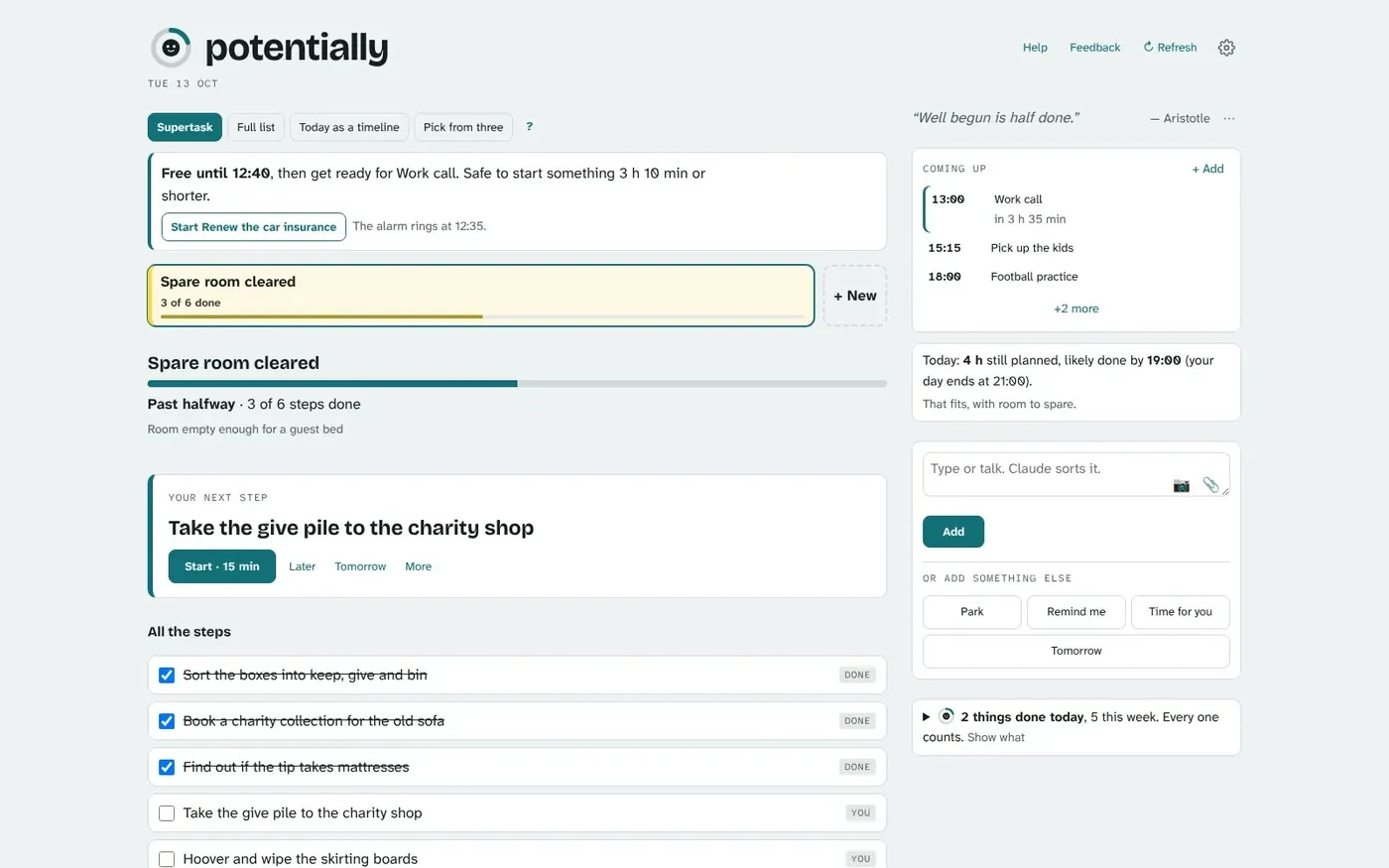
The same supertask on a laptop, “Spare room cleared”: the next step with its Start button and, beside it, what’s coming up, the day check and the Type or talk box.
What it shows
- Our most complete AI assistant work: everyday language in, organised tasks out, screenshots read, and parts of the job done by Claude.
- Careful design for real people, with privacy spelled out in plain words.
- The same technique serves a business: understanding a hurried message and turning it into an appointment, an order or a task.
Where it stands
- A free concept test at potentially.es. Each tester is added by hand, by invitation.
- It’s built with people with ADHD in mind, among others, but it isn’t a medical product: it never asks for or labels a diagnosis.
- It never connects to a bank and can’t move money. The screenshots are from the test version, with example tasks.
Want an assistant like this for your business?
Tell us in a minute what your business does and where your time goes. We’ll come back with an initial proposal, with no obligation.
Does your business have a job like this?
Start the chat