Case study · Bars and restaurants
Carta Hoy
The live menu for small bars and restaurants. Today’s menu in up to twelve languages with the 14 allergens, sold-out dishes gone in a tap, and from the same menu: printed menus, the Google Maps image, orders, kitchen screens, table requests and the staff rota.
- For
- Small bars and restaurants
- Status
- Ready at cartahoy.es. Opening very soon: looking for its first restaurant
- Price
- From €12.95 a month + VAT
- Where
- cartahoy.es
The problems it solves
-
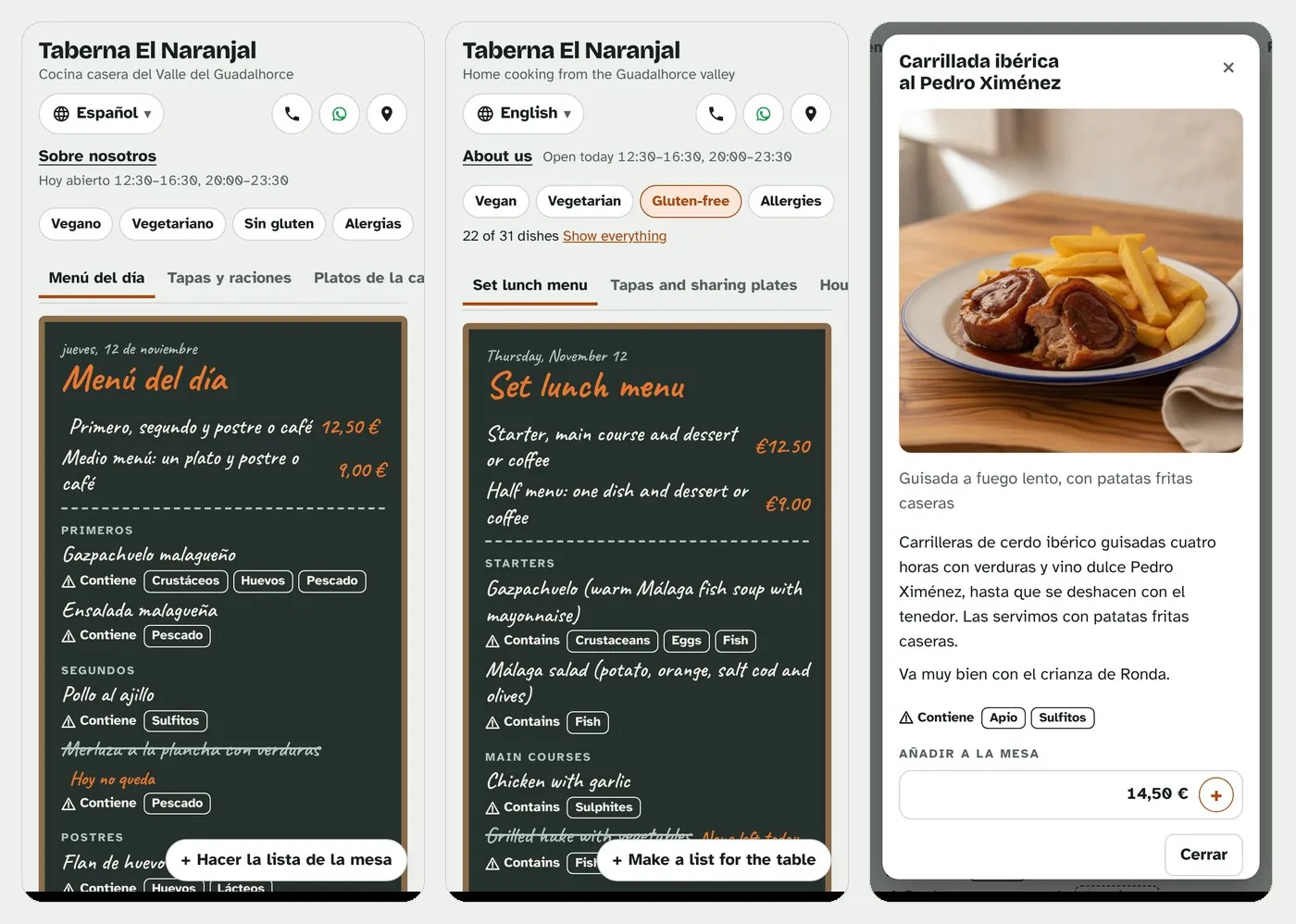
Guests who can’t read the menu
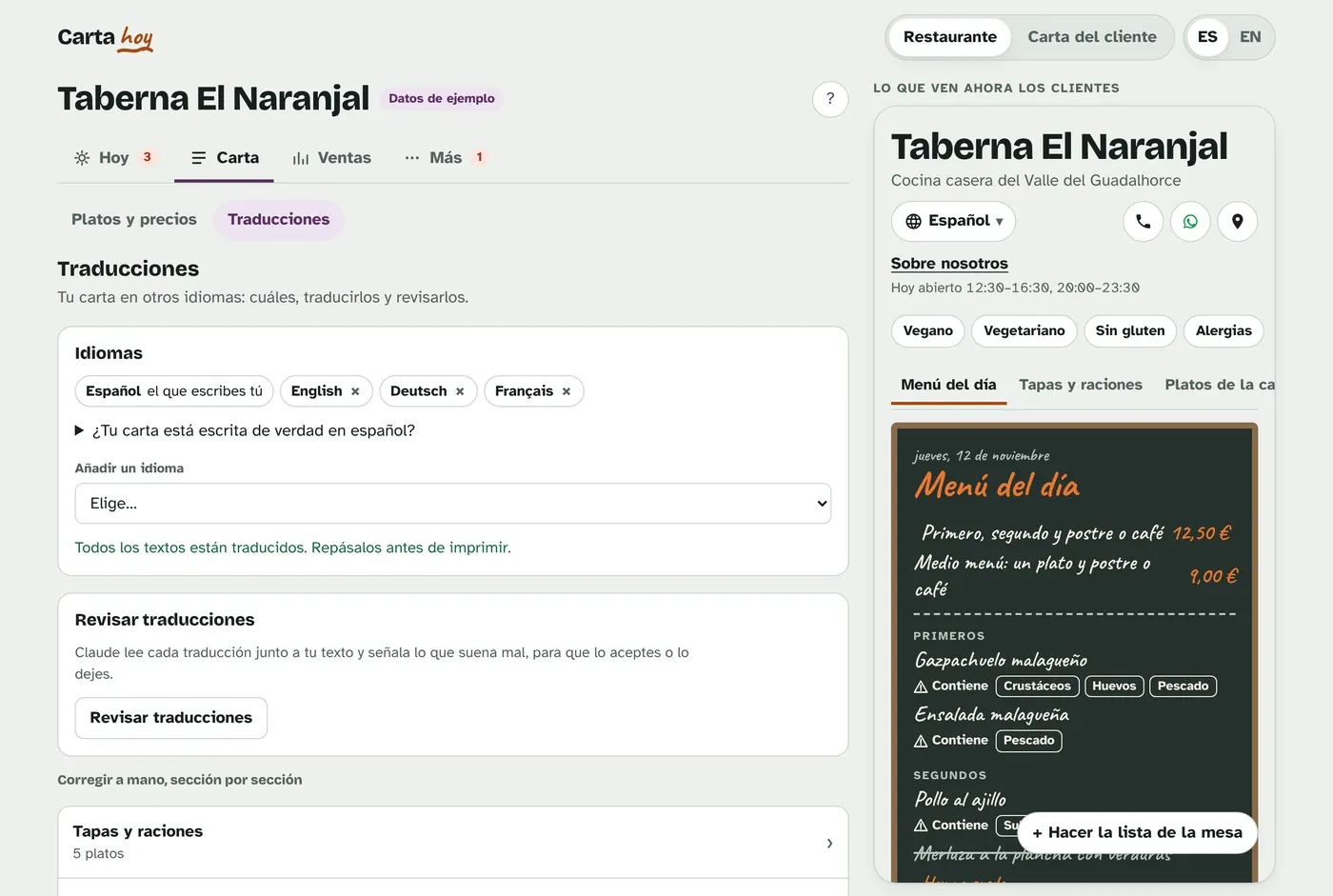
Each guest picks their language: Spanish, English, German, French, Dutch, Italian, Portuguese, Catalan, Chinese, Japanese, Russian or Arabic, which reads right to left. Nothing is translated until the owner says yes, “Check translations” flags anything that doesn’t fit, and the number of languages and translation credits follows the plan, so the cost stays under control.
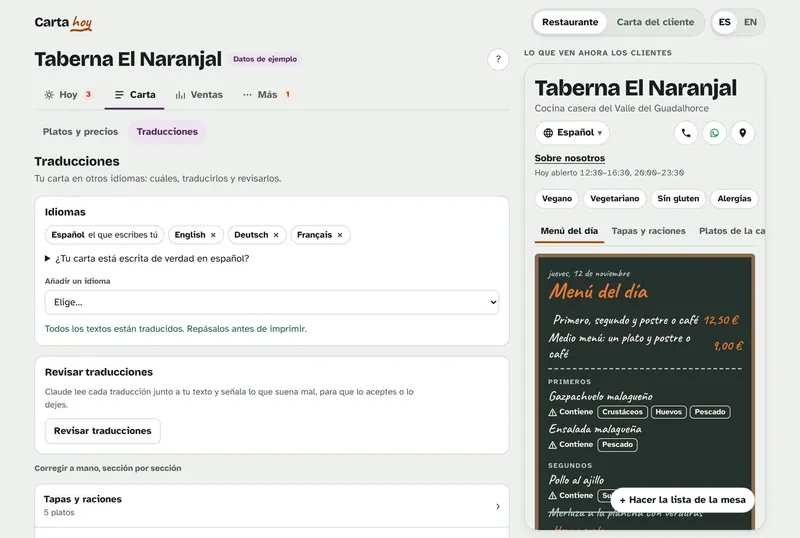
Translations, on their own tab: the menu’s languages, the translation check, and each section to correct by hand. -
The allergen question, every service, in every language
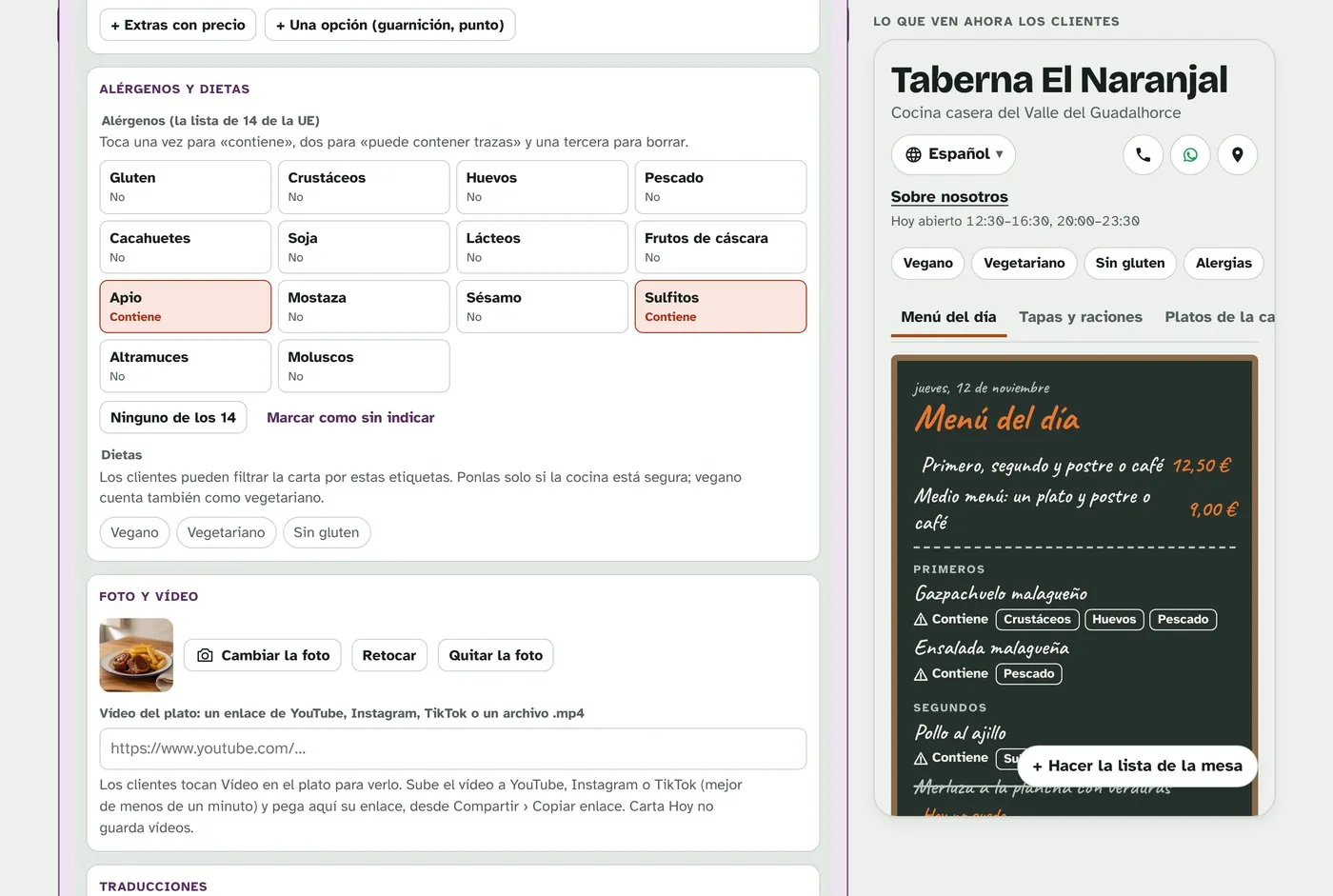
The 14 EU allergens on every dish, as “contains” and “may contain traces”, in the guest’s language, on the menu of the day too. Guests tick their allergies and the dishes they can’t eat drop out of the menu.
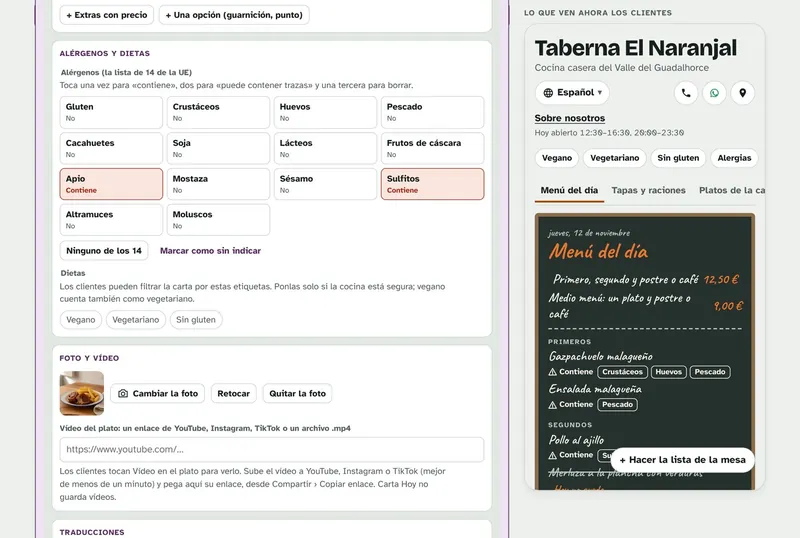
A dish’s page, now in blocks with their own titles: the 14 allergens (one tap for “contains”, two for “may contain traces”), the diets, and the photo with its touch-up and a video of the dish. -
The salmorejo ran out an hour ago
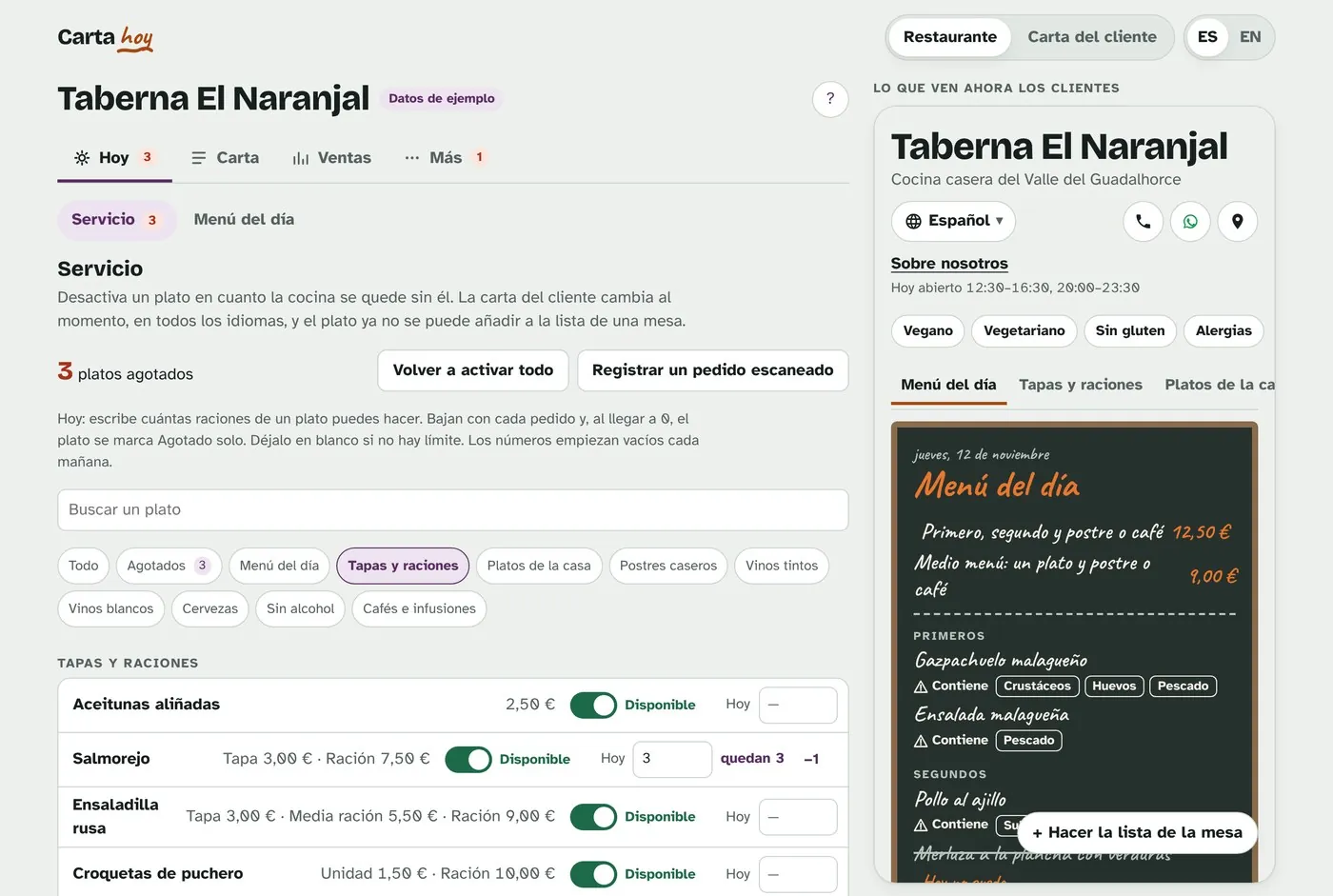
Sold out in one tap, on every guest’s phone at once. Staff can also type how many portions they can make today; the count goes down with each order and the dish marks itself sold out at zero, while guests see “only 3 left”.
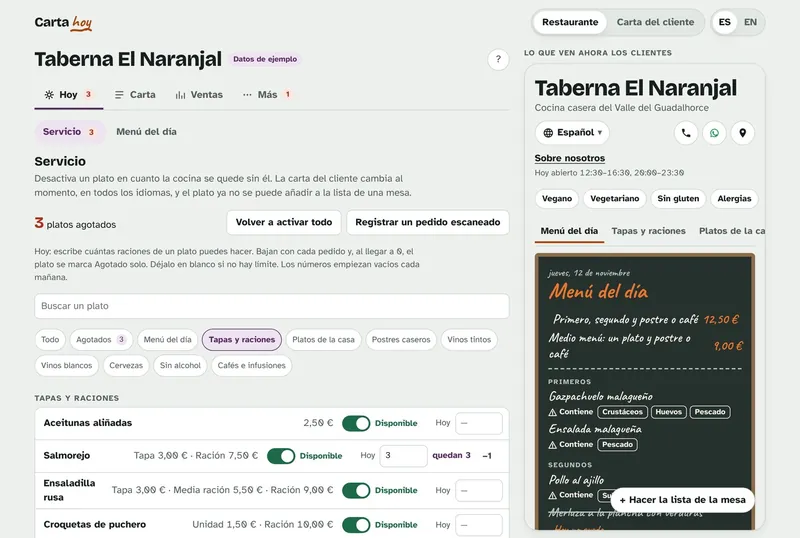
Service: each dish on or off in one tap, with the count of dishes sold out today. Here there are 3 portions of salmorejo left, and the guest’s menu changes beside it. 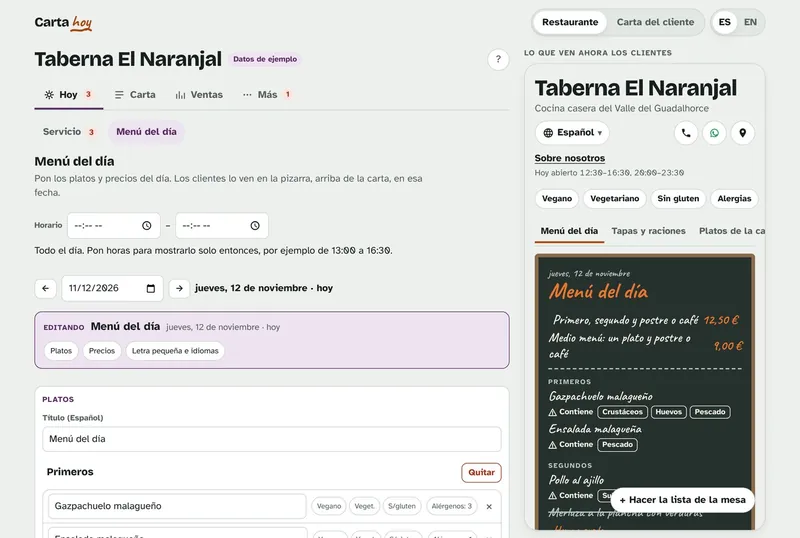
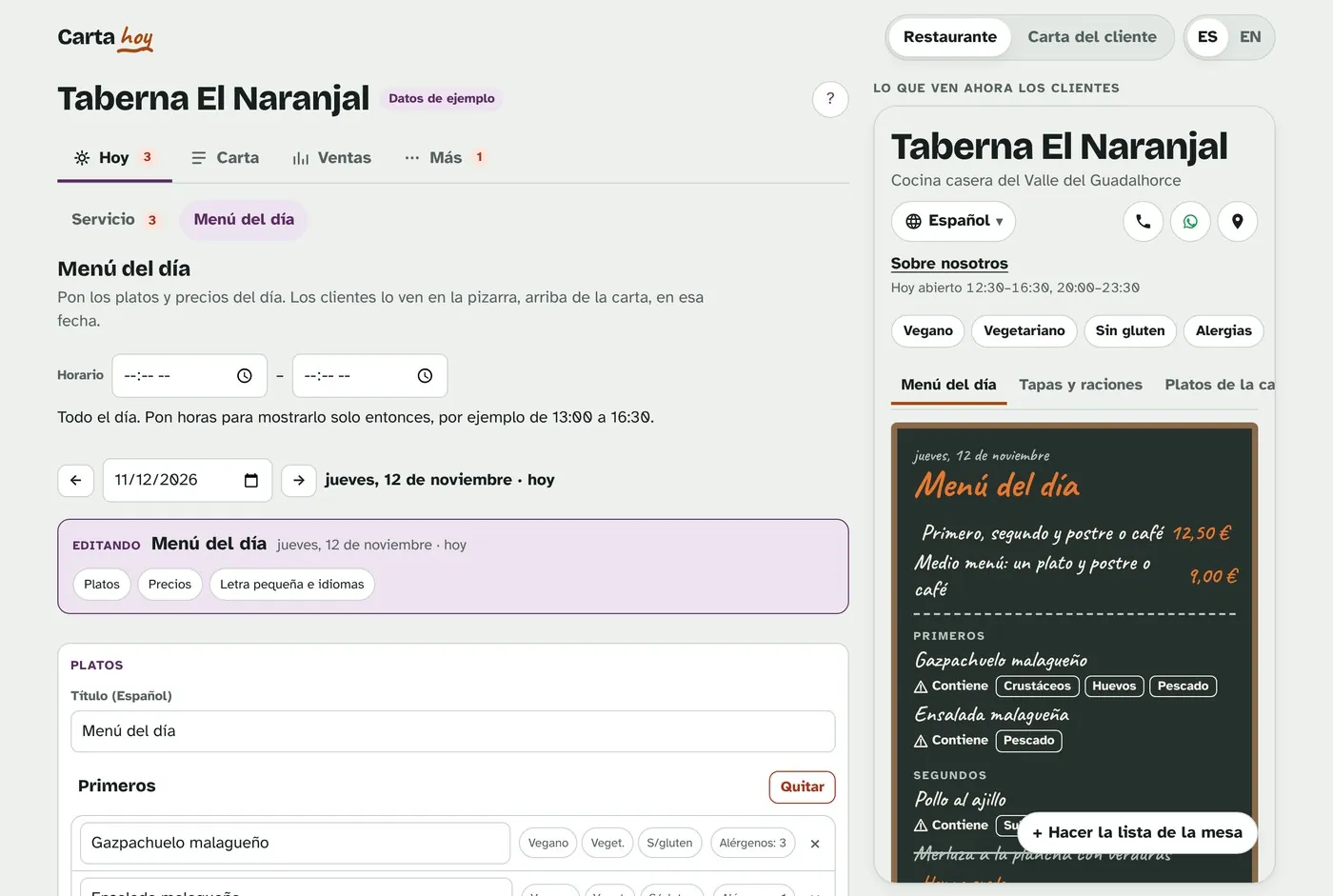
The owner’s desk next to what the guest sees: the menu of the day, edited on the left and live on the right, with its hours and the dish that has run out today. -
Typing the menu in is why owners never start
Carta Hoy reads a menu from photos, a PDF, a link to the old menu or an Excel or CSV sheet, and lays it out in sections, dishes, prices and stated allergens for the owner to check. After that it’s edited one section at a time: tap one and see only its dishes, with groups inside a section (Beers, Wines and Soft drinks) and the chef’s suggestions picked out at the top.
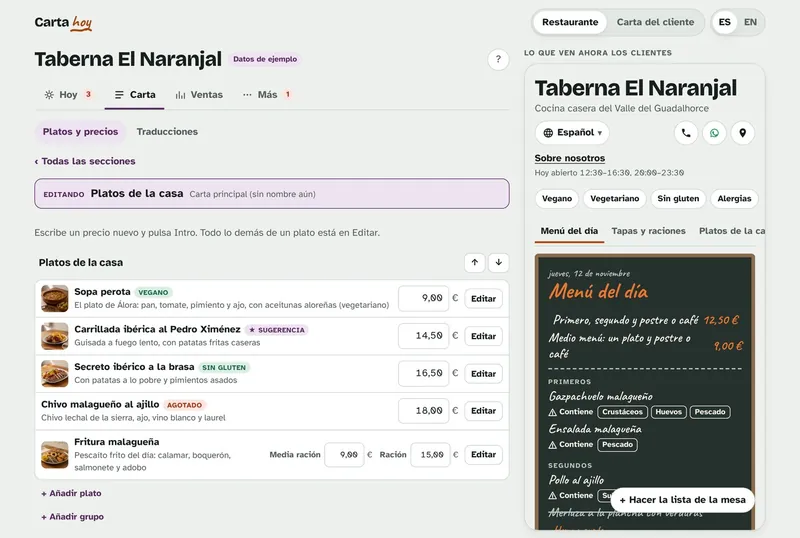
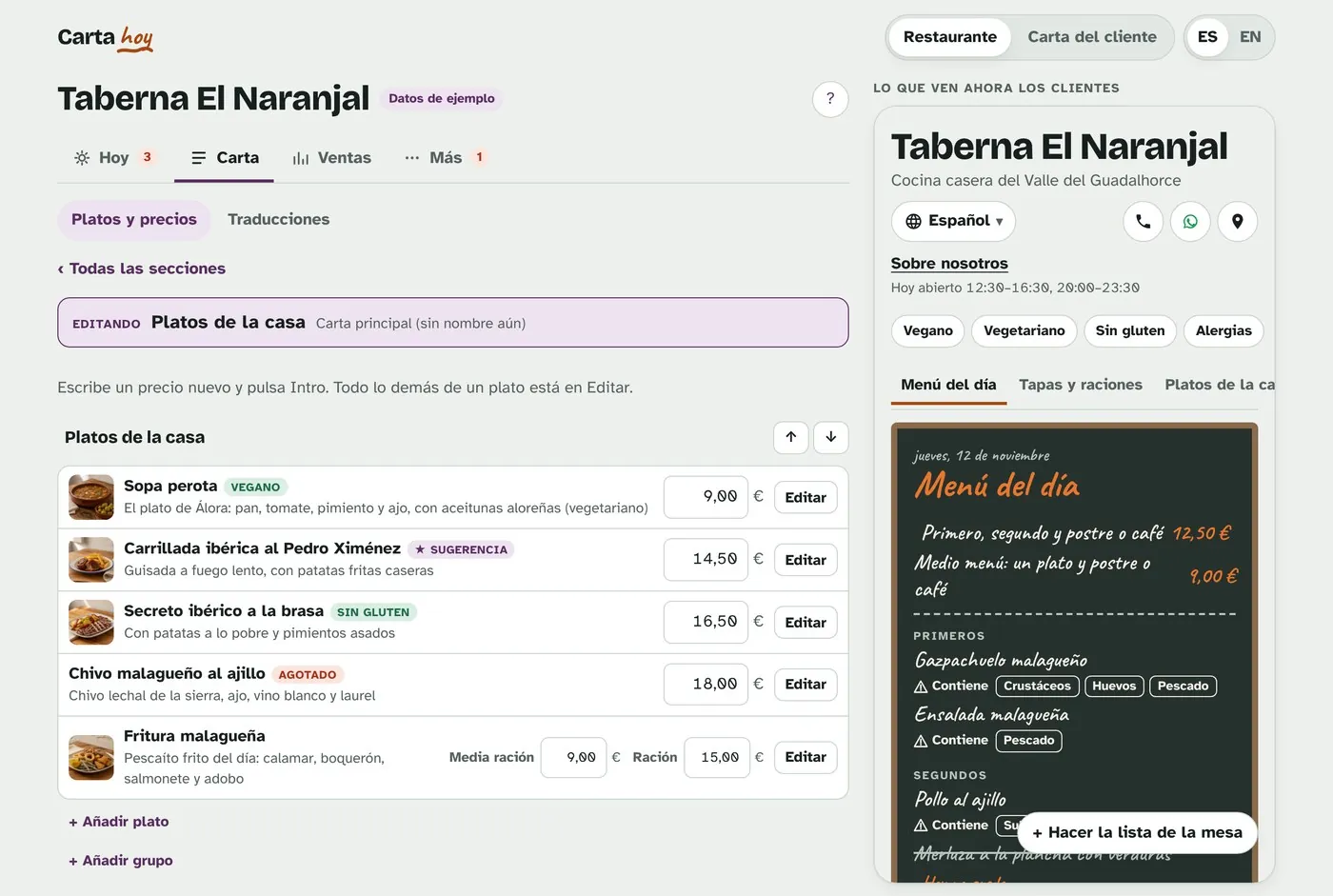
One section at a time: the house dishes with their photo, price and labels (vegan, gluten-free, chef’s suggestion, sold out). 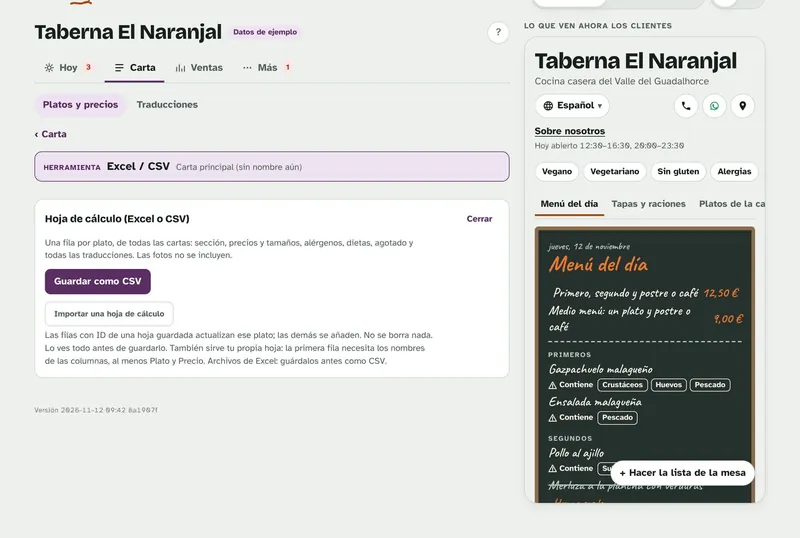
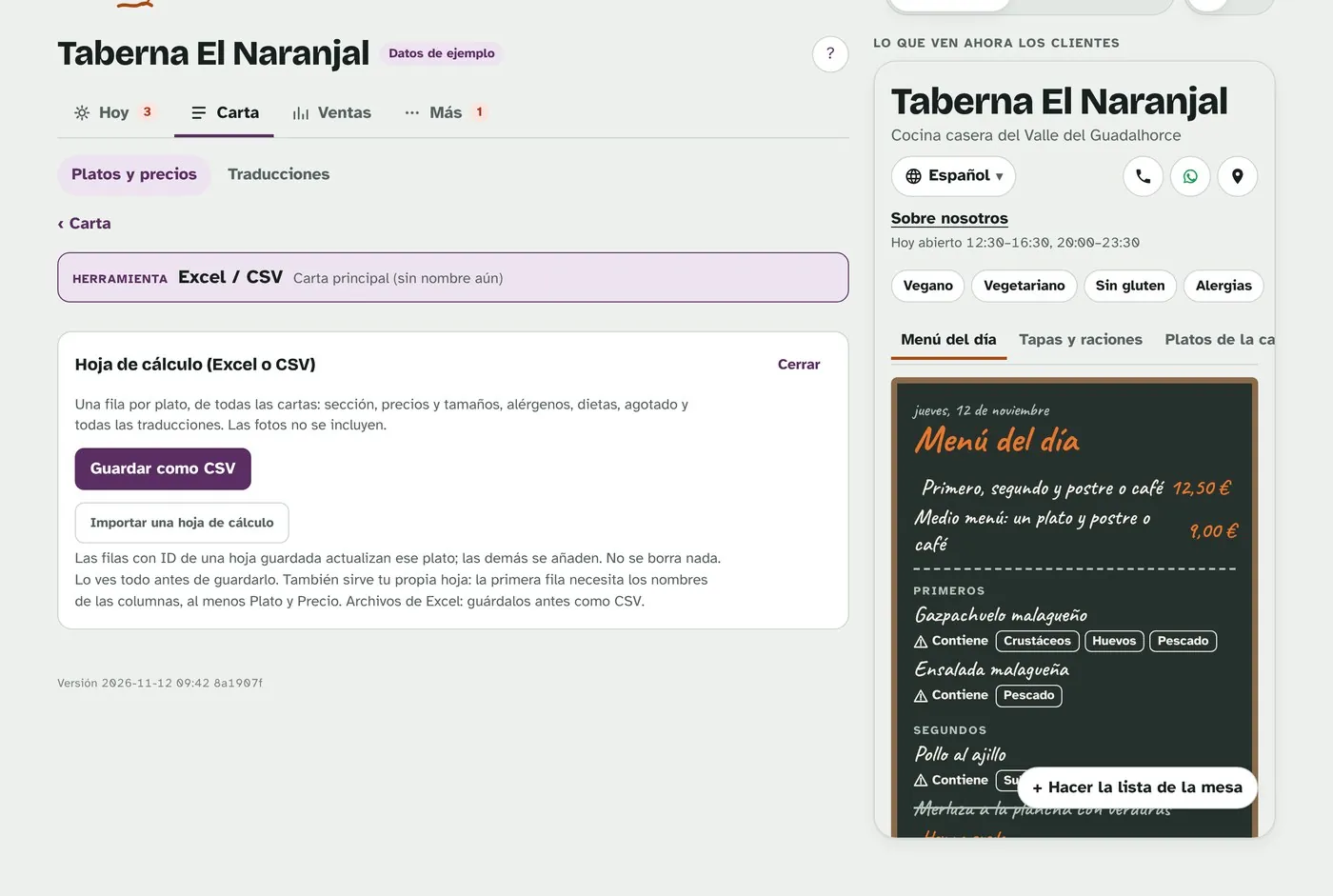
The whole menu as an Excel or CSV sheet, and back again: one row per dish, with sections, prices, allergens and diets. Reading photos and PDFs is switched off in the demo. -
One menu, every format
The same data makes the QR menu, a printed menu in one or two languages, the A3 price list for the door, the Google Maps image, a PDF version with its photos that guests can open from the menu itself and, on the bigger plan, the restaurant’s own website. Prices can’t disagree between them because there is only one menu, and the legal lines (VAT included, free tap water, taking leftovers home, bread and terrace charges) appear on phones and on paper. In Andalusia a QR code alone isn’t enough: a printed menu has to be on show too.
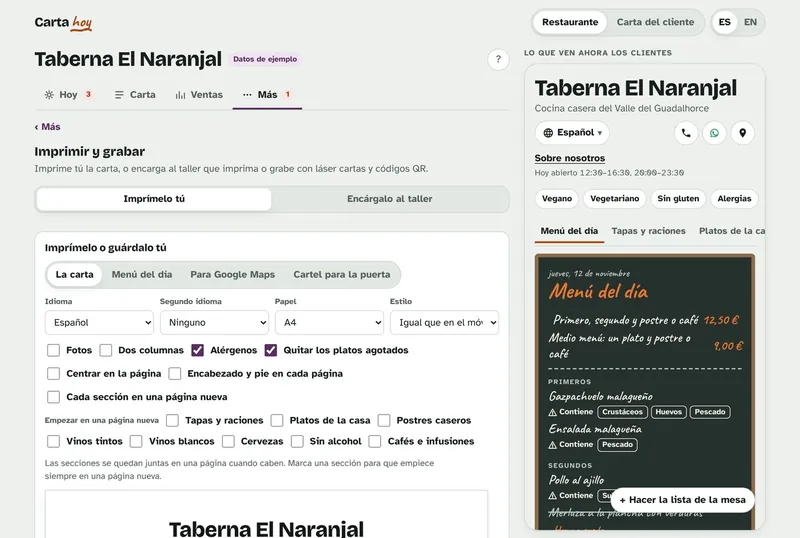
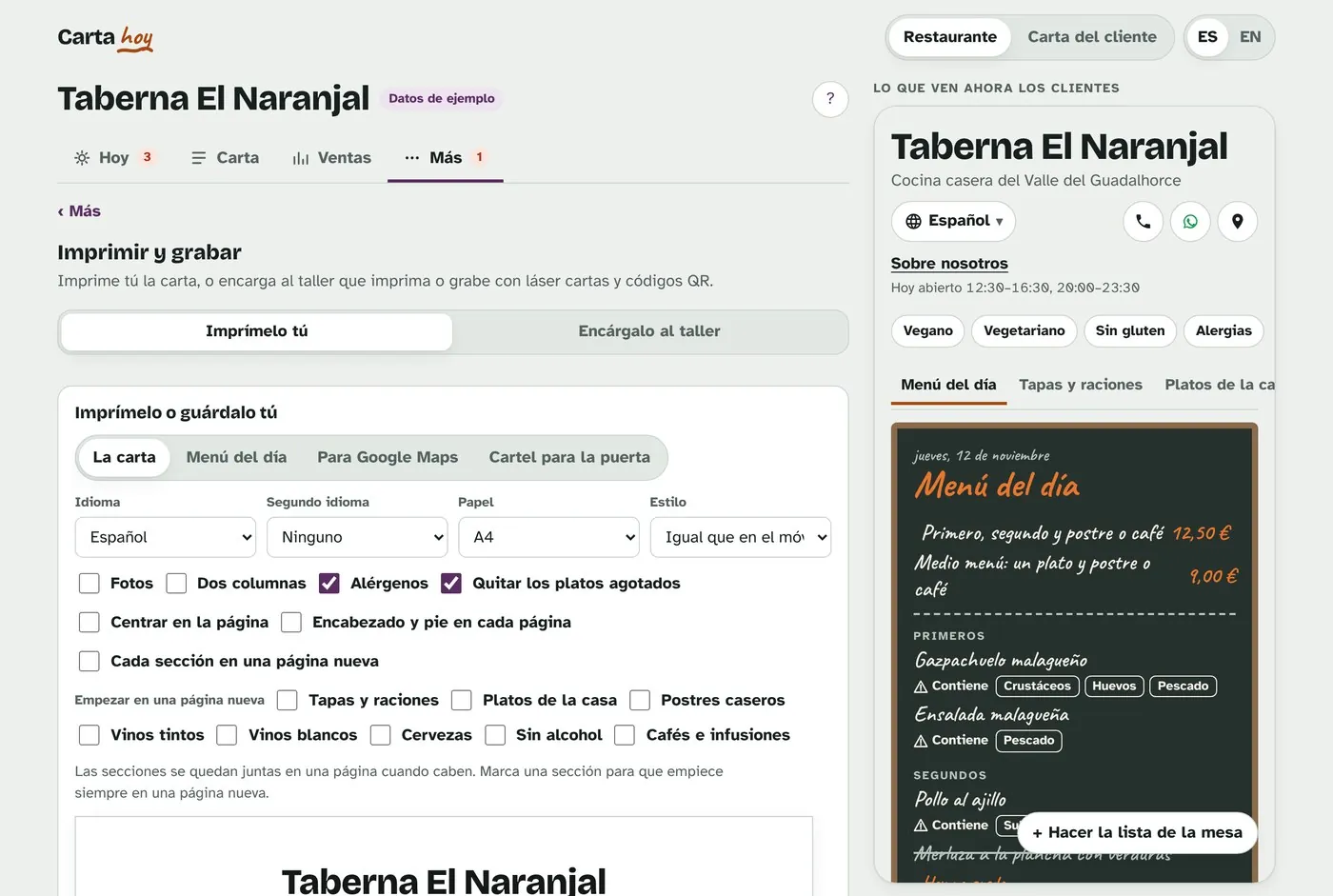
Print it yourself or order it from the workshop, printed or laser-engraved: the menu, the menu of the day, the Google Maps image or a door sign, in one or two languages, with sections that don’t break across pages. 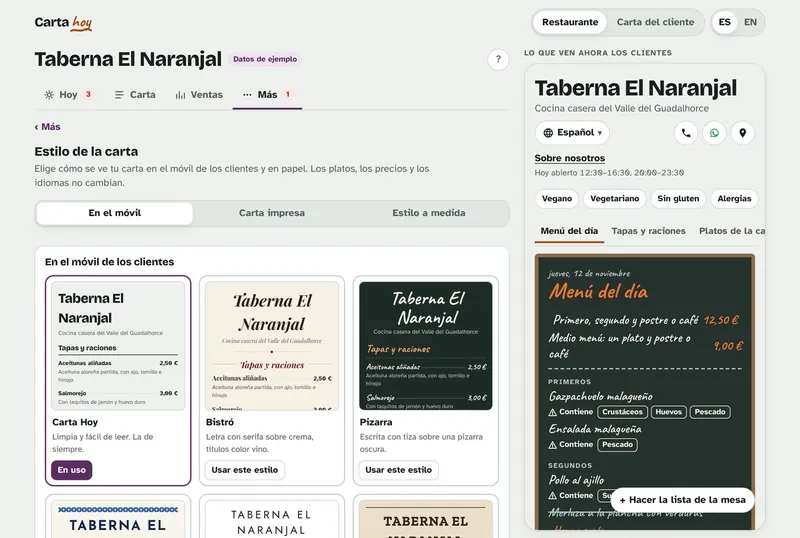
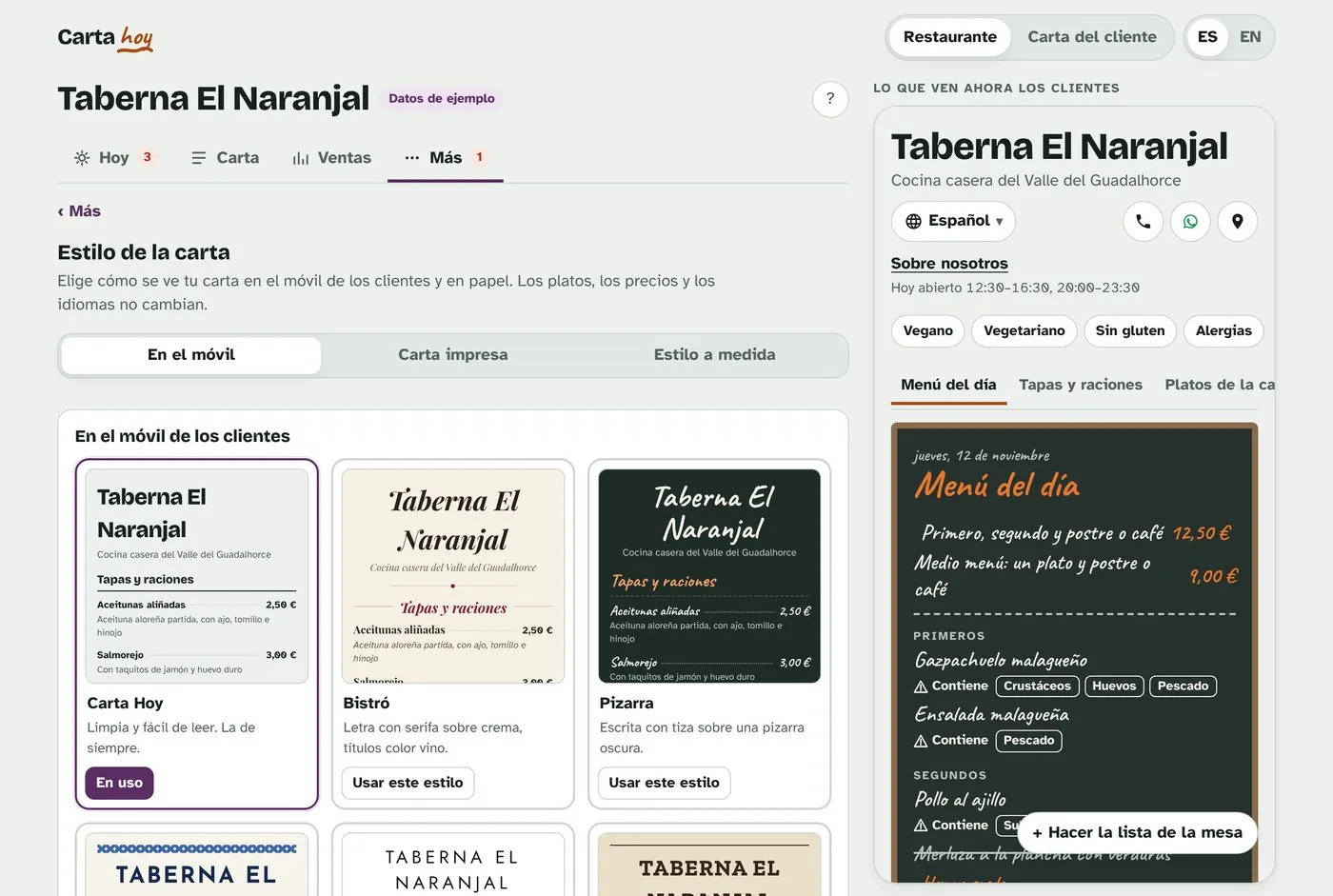
The menu’s look on guests’ phones and on paper, with ready-made styles (here Carta Hoy, Bistró, Pizarra, Mediterránea, Minimalista and Taberna; by November there are 21) or one made to measure by the workshop. 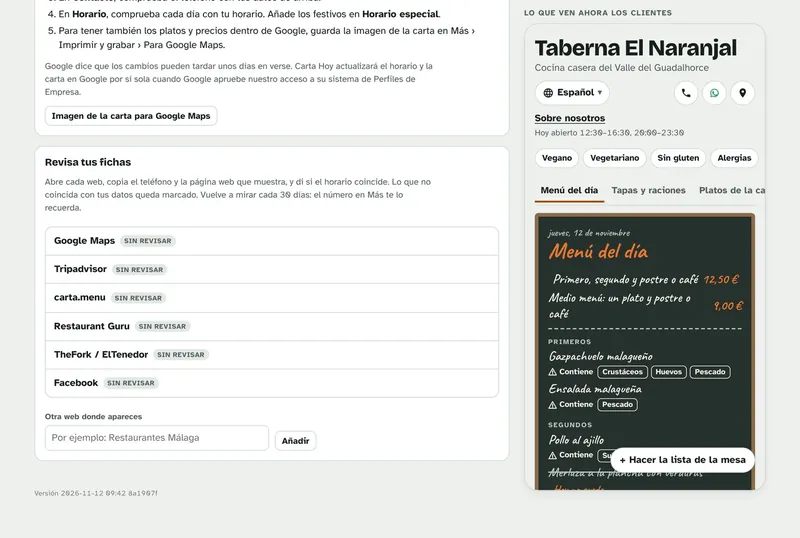
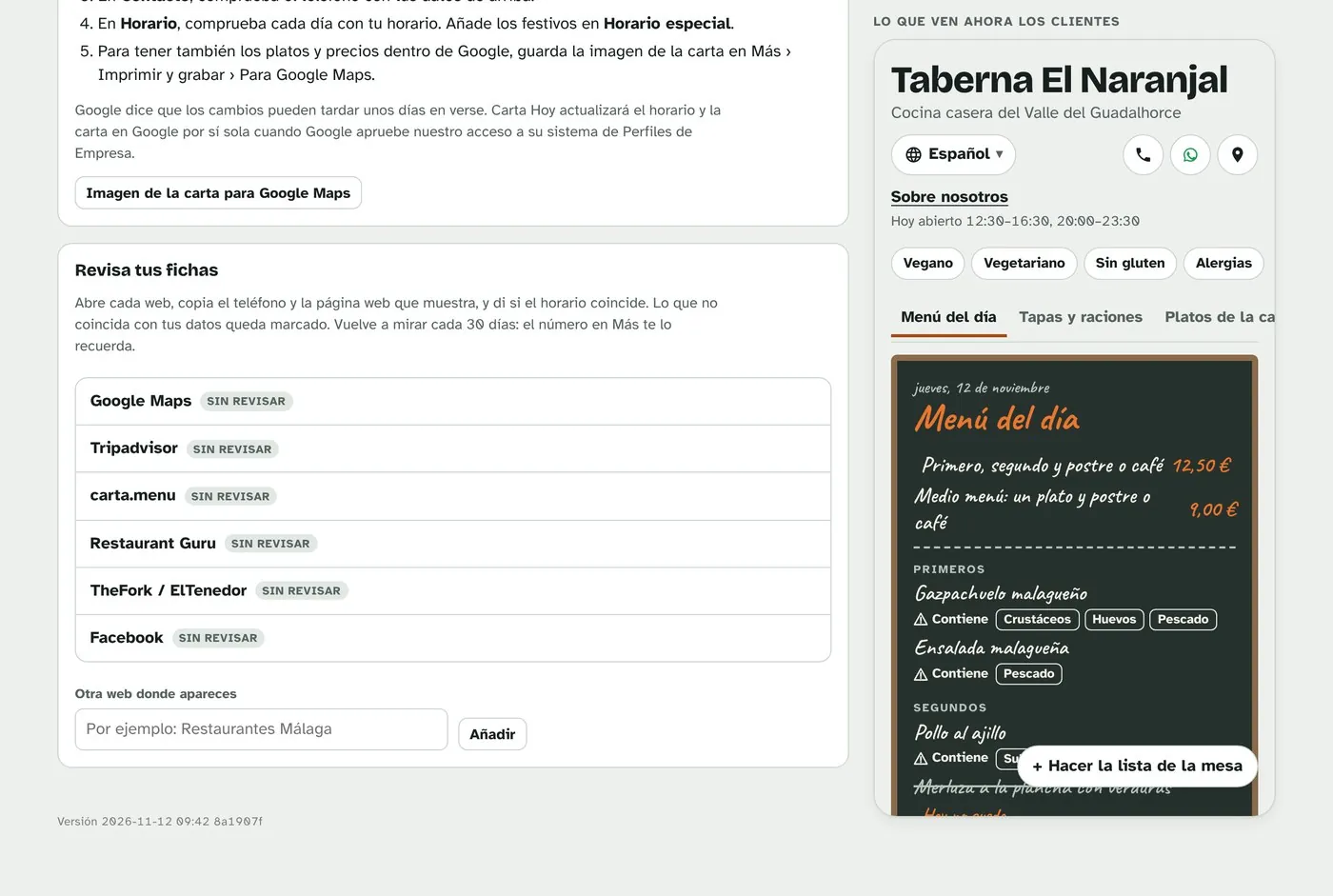
Google and other listings: the steps to link the menu on Google, and the listings to check (Google Maps, Tripadvisor, TheFork, Facebook…) so the phone number, hours and menu agree everywhere. -
From the table to the kitchen
The waiter’s order pad, guests ordering from the table or ahead (to eat in or to collect), and kitchen and bar screens by station with “Marchar”. Each ticket carries its dishes’ allergens, and a dish can be marked sold out from the same screen. Sales, costs and margins come from the recorded orders.
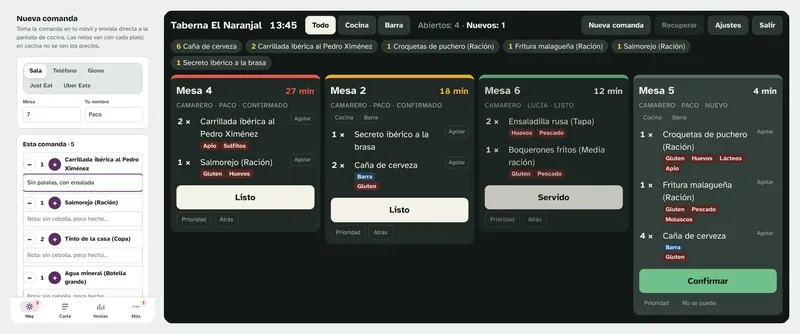
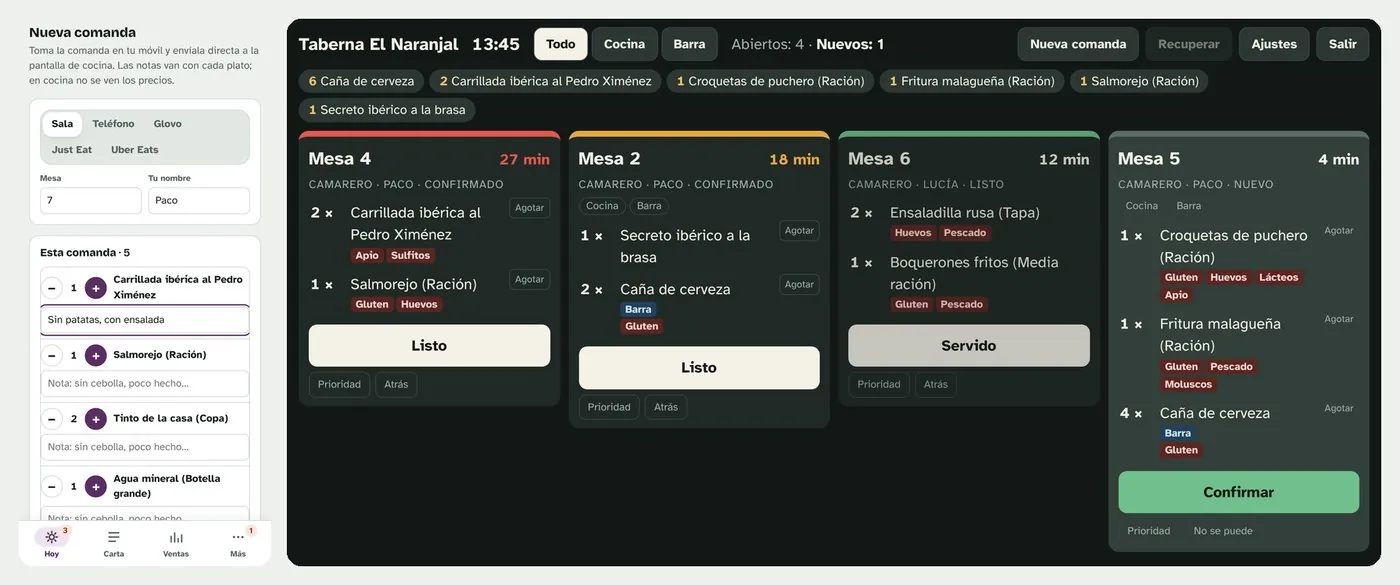
The waiter’s order pad on a phone, with a note on one dish, and the kitchen screen: totals per dish on top, and each ticket with its time, its allergens and its state, from new to served. These screens aren’t in the public demo: the orders are examples. 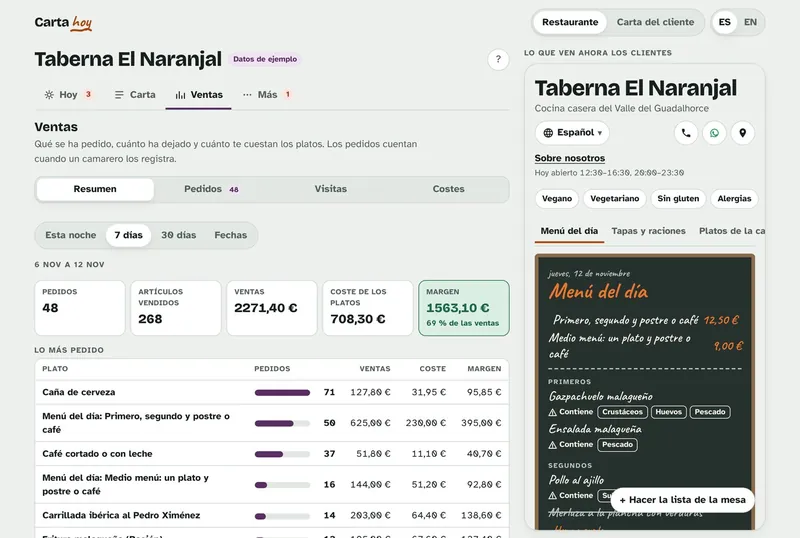
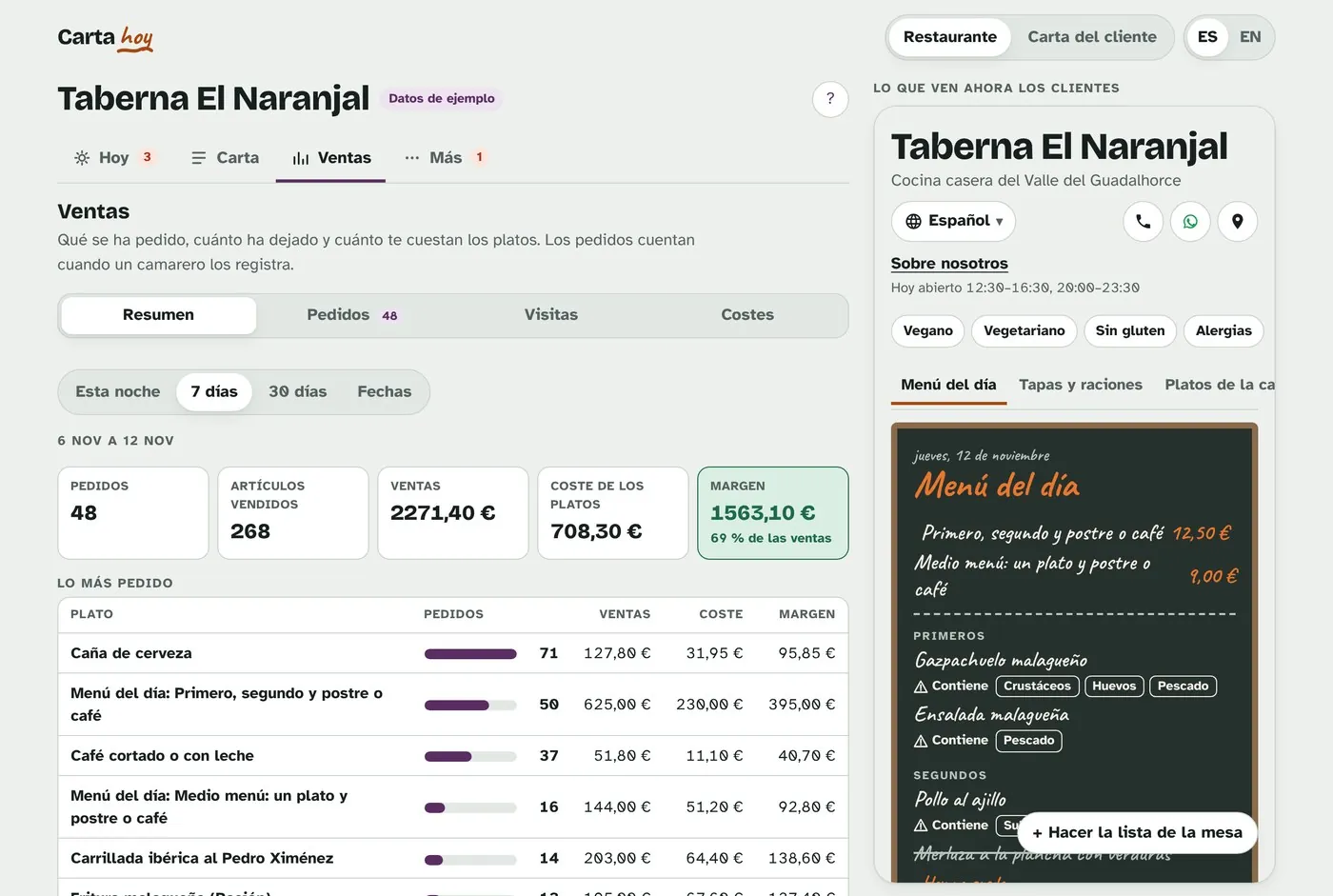
Sales for the last 7 days: orders, takings, the cost of the dishes and the margin, with the most-ordered dishes. 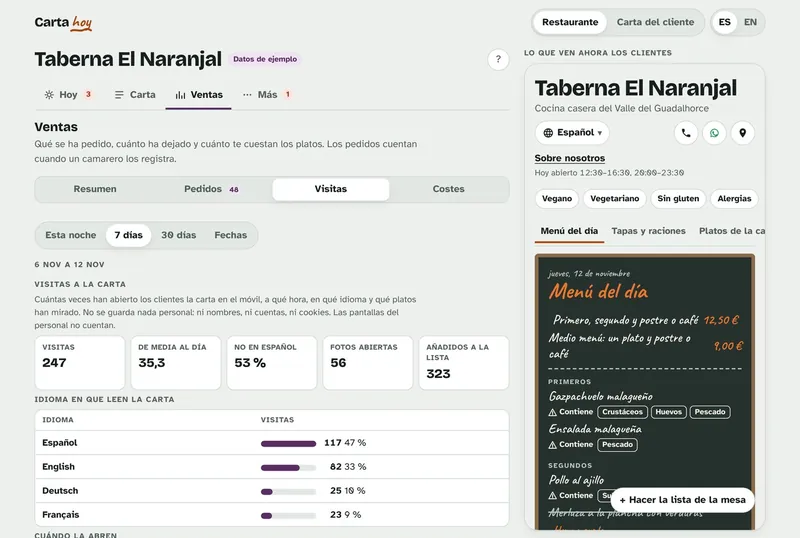
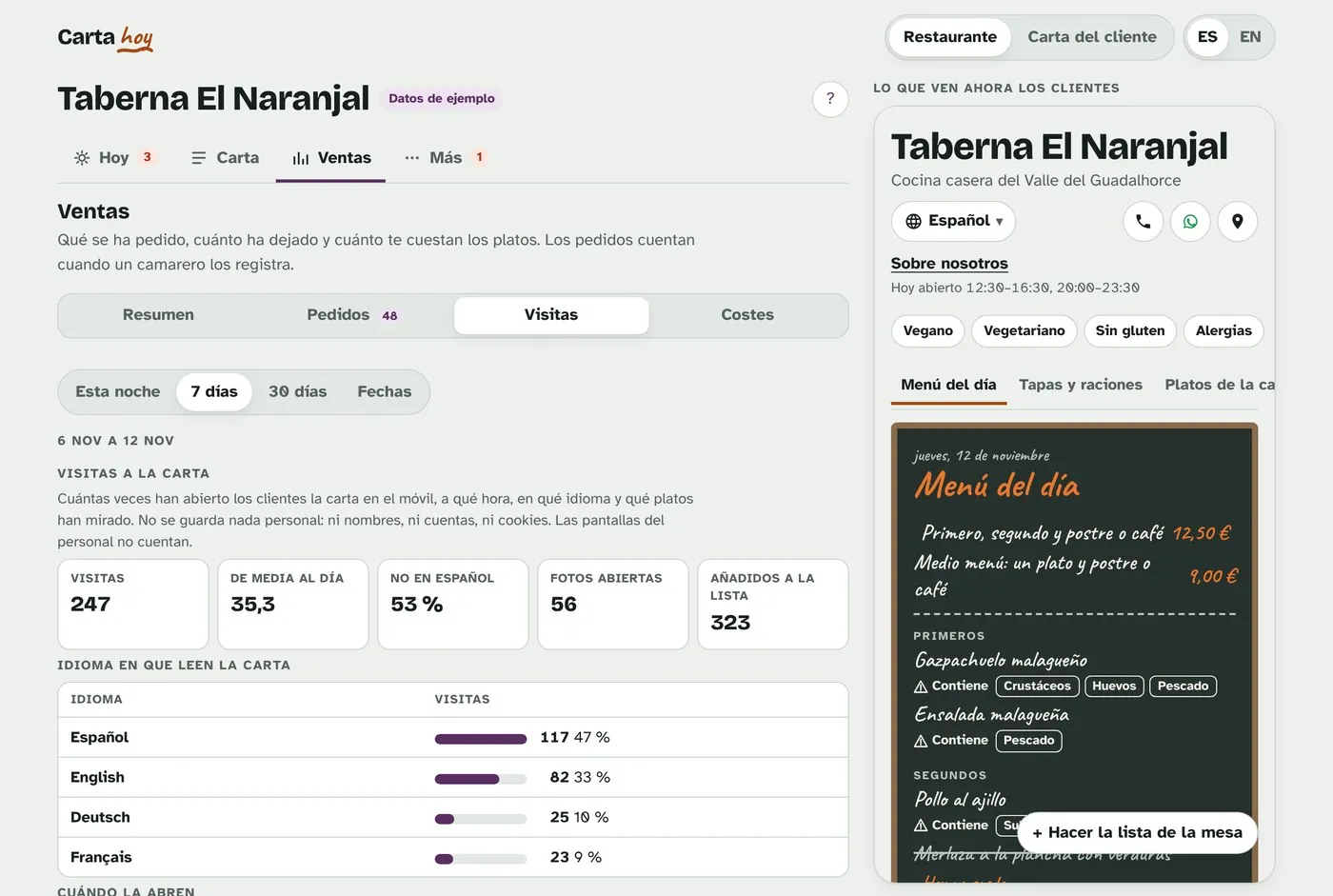
Menu visits: how many guests opened the menu, in which language and at what time, and which dishes they looked at most. No names, accounts or cookies. -
Table requests, groups and the bill
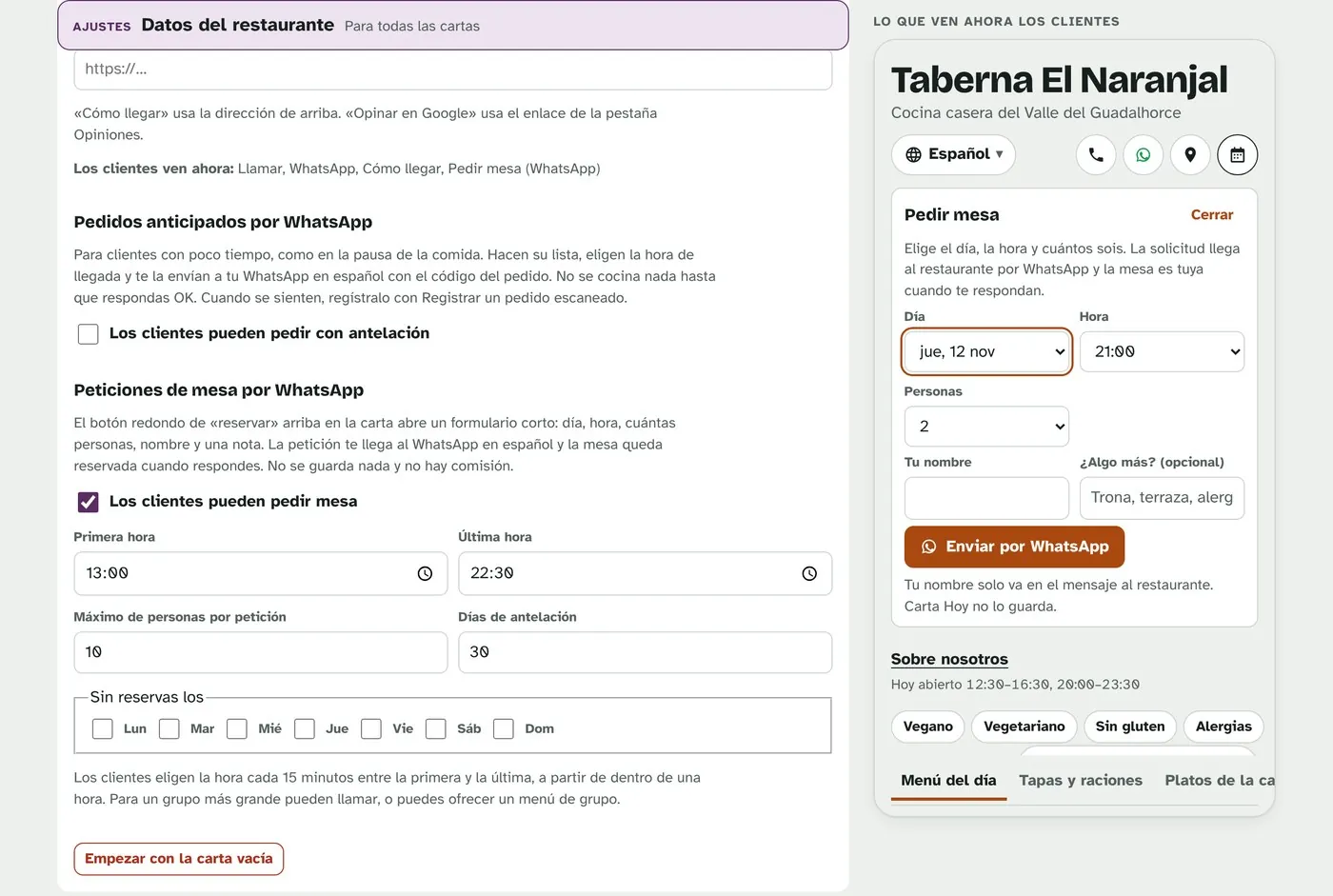
Asking for a table from the menu, on every plan: a short form (day, time, party size and name) that reaches the restaurant’s WhatsApp, with no commission, and the table is booked when they reply. Group and event menus with an online deposit, and a table list where each person sees what they ordered before they show it to the waiter.
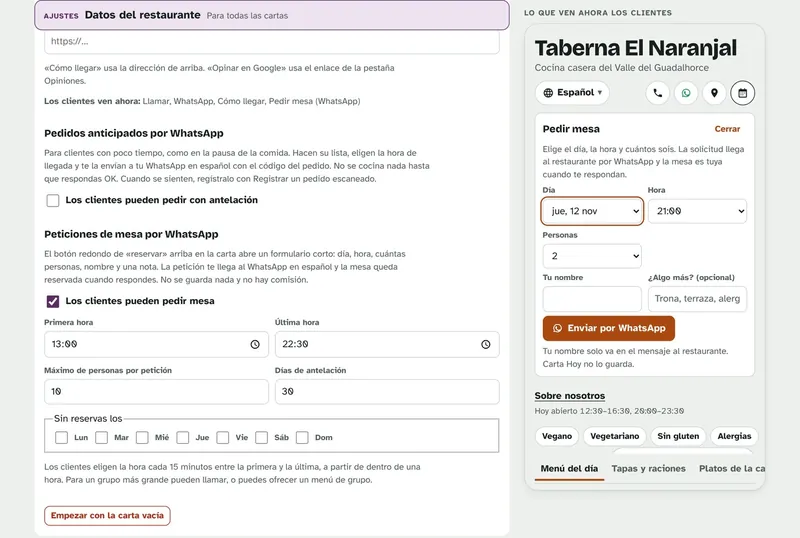
On the left, the restaurant sets the hours, the largest party and the days with no bookings; on the right, a guest asks for a table from the menu and the request goes out by WhatsApp. 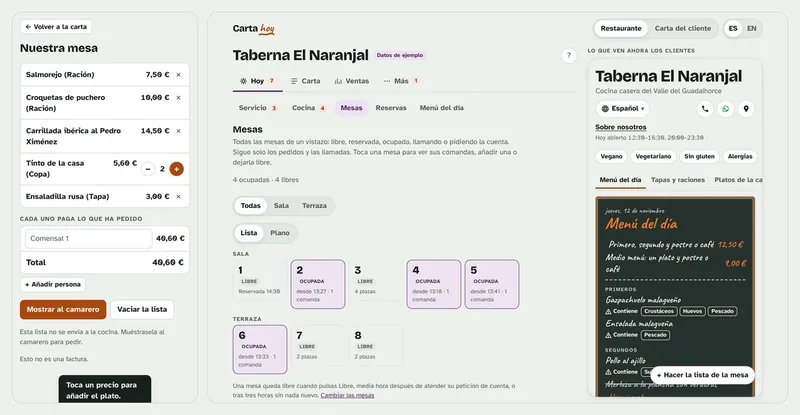
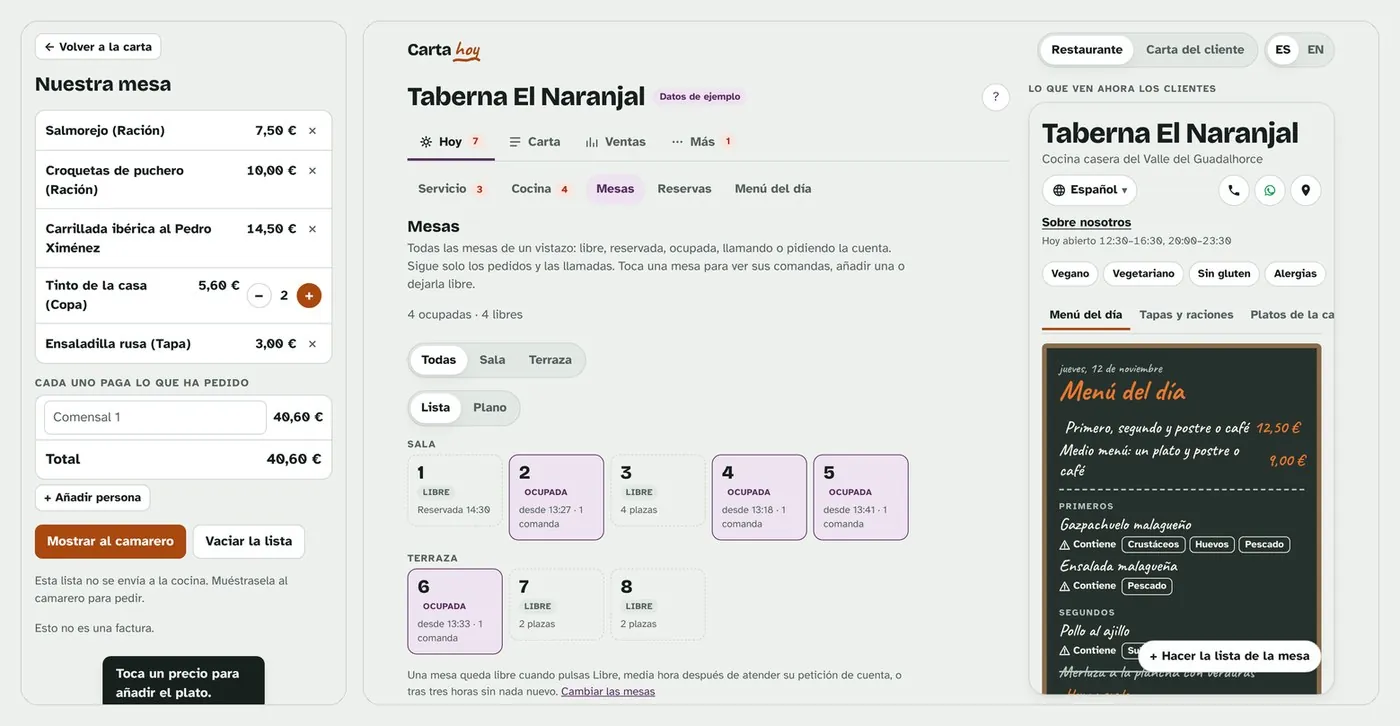
The table’s shared list, where each person pays for what they ordered, and the restaurant’s tables by area: free, busy since when, and one booked for 14:30. The tables and orders are examples, as on the kitchen screen. 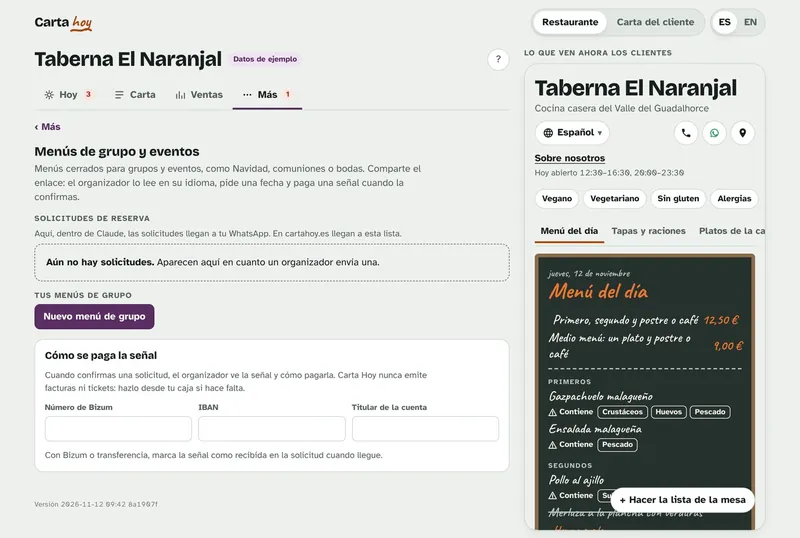
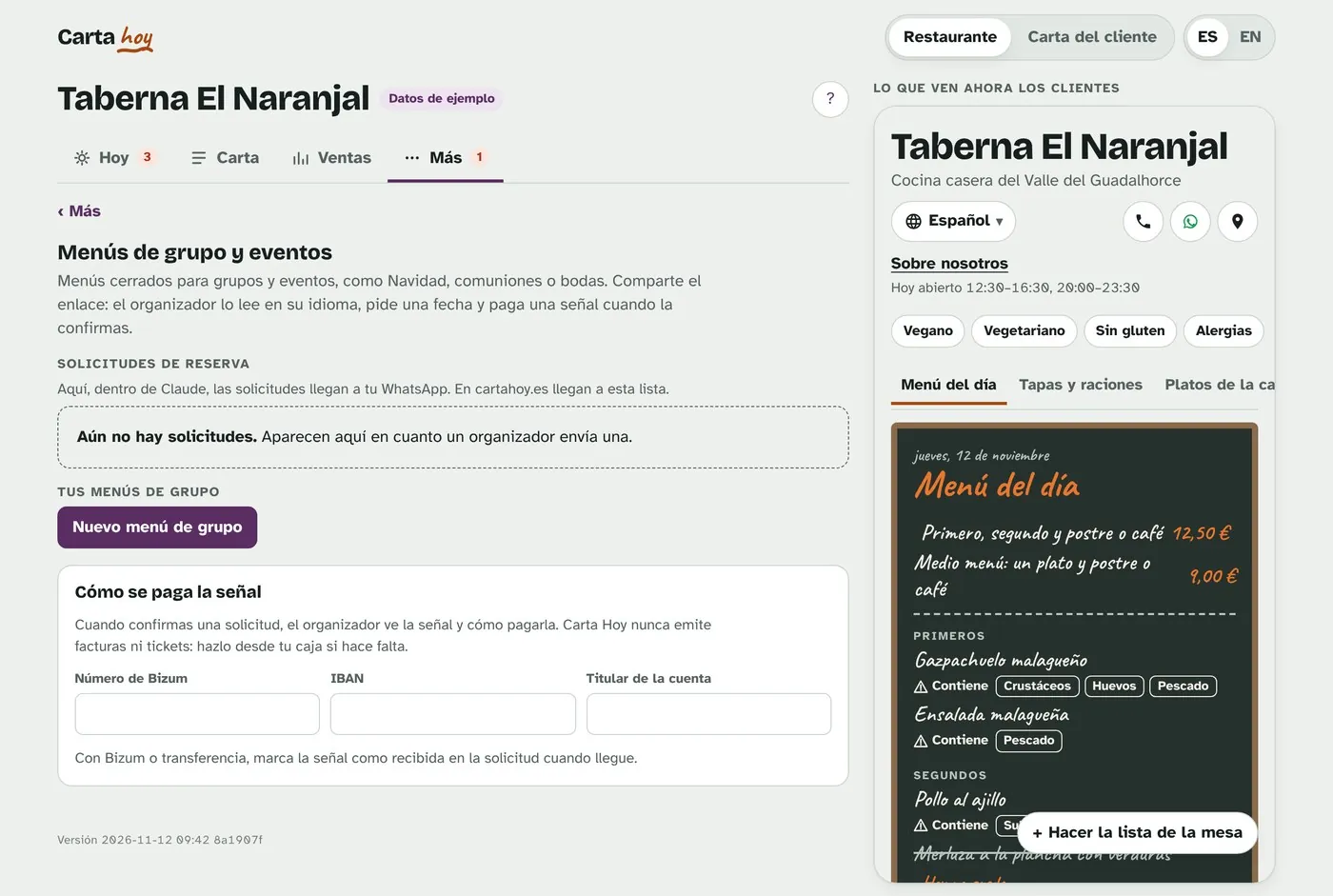
Group and event menus, for Christmas, communions or weddings, each with its own link and the deposit paid by Bizum, bank transfer or card. -
The staff side: daily checks and the rota
A staff app with the daily checks an inspector asks about (a fridge at 5 °C or lower, with limits and a printable monthly record) and the weekly rota with roles and contract hours. It installs like an app, with no app store, and keeps working with no signal: an order taken offline waits on the waiter’s phone and reaches the kitchen when the signal is back. Dish photos taken on a phone get their light and colour fixed in one tap.
-
What guests think, before Google hears it
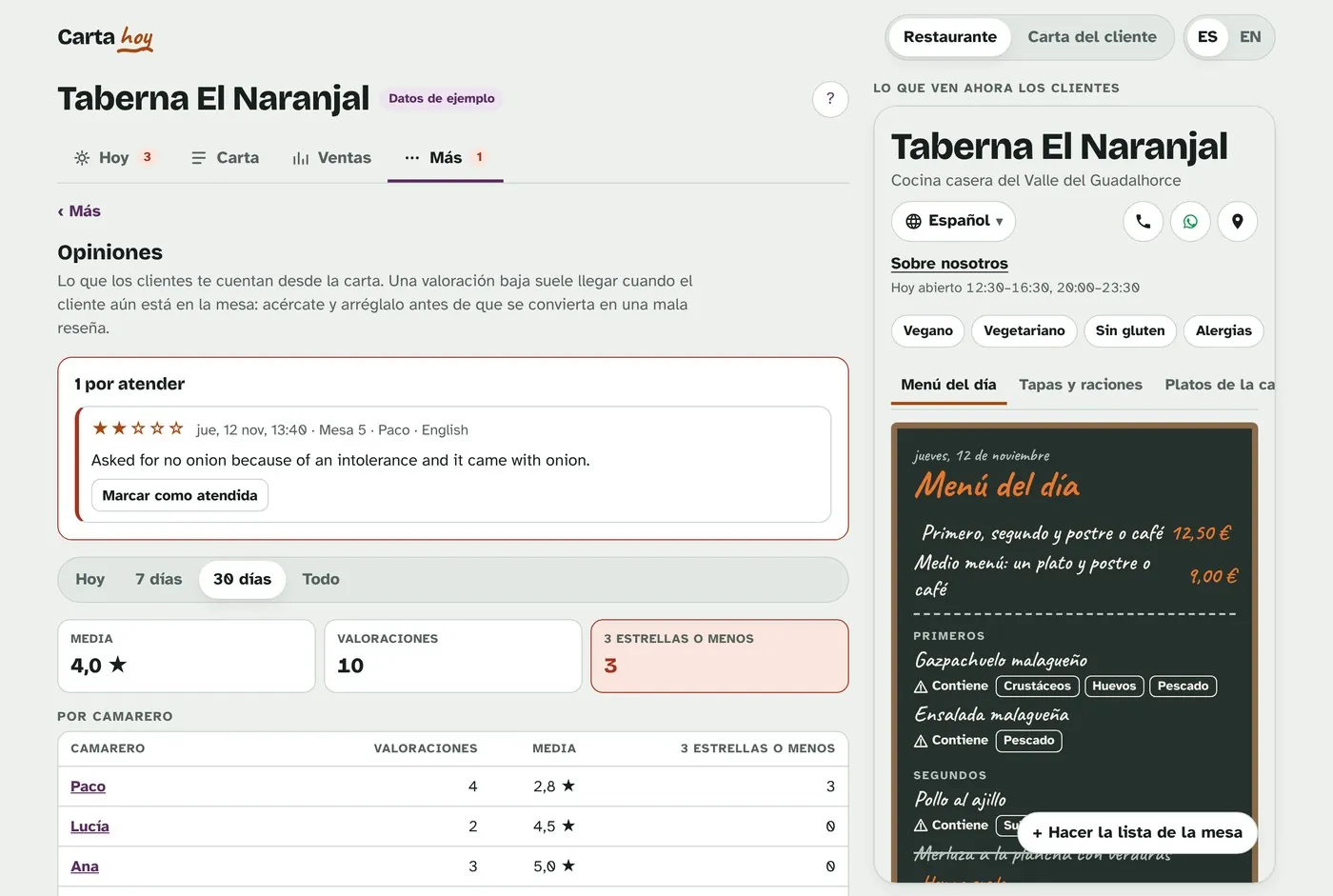
Guests rate their visit from the menu, in their own language, with a comment if they like. Staff see it at once, translated, by table and by waiter, so a problem can be put right before the guest leaves. Every guest is offered the Google review link whatever their rating, because Google forbids asking only happy guests.
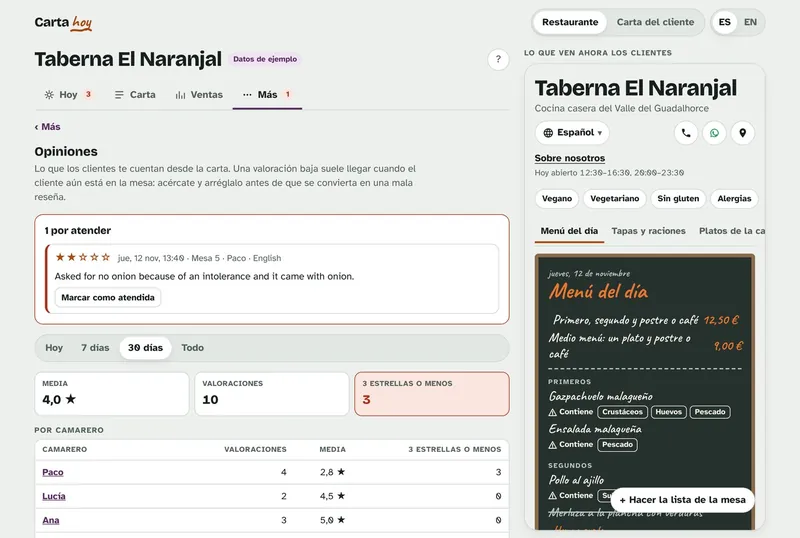
Guest feedback on the desk: a low rating from table 5 waiting for attention, the average for the last 30 days, and ratings by waiter.
What it shows
- A close understanding of how a Spanish bar runs: the menú del día, raciones, the allergen rules, IVA on the menu, and tourists at the next table.
- AI that removes the typing (reading and translating menus), with credits that keep its cost known.
- A complete product: accounts, roles, plans, online payments, legal pages and a staff app that works offline.
Where it stands
- It runs at cartahoy.es, with a demonstration of a made-up restaurant, Taberna El Naranjal. The screenshots are from that demo on 12 November 2026.
- Restaurant sign-up opens very soon, with a 30-day free trial and no card.
- No restaurant uses it yet: we’re looking for the first. There are no figures yet on time saved or sales.
Do you run a bar or restaurant, or does your business have a job like this?
Tell us in a minute what your business does and where your time goes. We’ll come back with an initial proposal, with no obligation.
Does your business have a job like this?
Start the chat